# cassette-model
Adopt this skill: https://proskills.md/skills/media/cassette-editor-oh-my-cassette-agents-skills-cassette-model
Page: https://proskills.md/skills/media/cassette-editor-oh-my-cassette-agents-skills-cassette-model
This document is the public skill bundle for that page. It contains SKILL.md and every helper file the catalog carries. No login is required.
## File: .agents/skills/cassette-model/SKILL.md
size: 1498
upstream: https://github.com/cassette-editor/oh-my-cassette/blob/main/.agents/skills/cassette-model/SKILL.md
```text
---
name: cassette-model
description: Show or change the Cassette editing model and thinking level for the current media session. Invoke only when the user explicitly asks for the model picker, wants to inspect the current Cassette model, or requests a model/thinking change.
version: 1.0.0
license: MIT
metadata:
tags: [cassette, model, thinking, mcp]
category: media
---
# Cassette model picker
This is an explicit settings action. Never invoke it automatically during media ingestion or before
an edit. A fresh Cassette session already uses GPT-5.6 Luna with `xhigh` thinking.
1. Reuse the active Cassette `session_id` from the current conversation. If no Cassette media
session exists yet, tell the user to add media first; do not invent an id or create an edit.
2. Call `cassette_config` with only `session_id` to read the current selection and static options.
3. If the invocation already names a valid model and/or thinking level, call `cassette_config` with
those values and confirm the saved choice in one line.
4. Otherwise show the model and thinking choices as two compact numbered lists and wait for the
user's selections. Then call `cassette_config` with the selected model label and thinking value.
5. Explain that the setting is scoped to this Cassette session and applies from the next edit turn.
Selectable models are GPT-5.6 Luna and GPT-5.4 Mini. Thinking values are `off`, `minimal`, `low`,
`medium`, `high`, and `xhigh` (display `xhigh` as “Extra High”).
```
## File: README.md
upstream: https://github.com/cassette-editor/oh-my-cassette/blob/main/README.md
````text
Oh My Cassette
Edit video by talking to the Cassette agent from Claude Code, Codex, OpenCode or Hermes.
A small MCP bridge, installed from PyPI. The editing tools come from the Cassette MCP service, so they stay current without a plugin update.


 中文
---
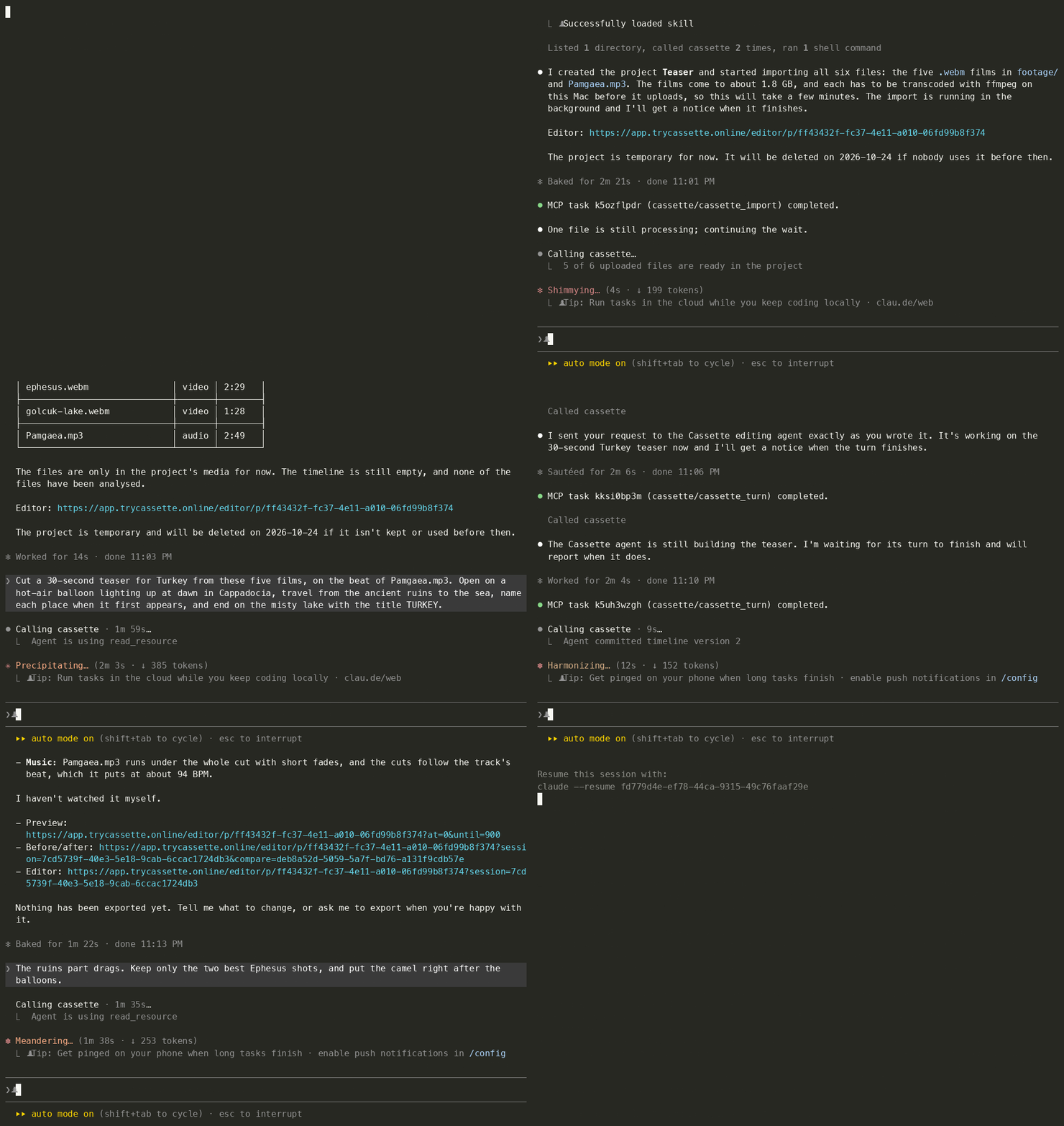
**One real Claude Code session, with every prompt shown as it was typed.** Five 4K travel films (10½ minutes of
footage) and a song go in, a two-sentence brief and a one-line revision go to the Cassette agent word for word, and a
30-second 1080p MP4 lands in `cassette-exports/`. Waits are fast-forwarded: in real time the import took 4½ minutes, the first cut 9½, the revision
3½ and the export 1.
> *Cut a 30-second teaser for Turkey from these five films, on the beat of Pamgaea.mp3. Open on a hot-air balloon
> lighting up at dawn in Cappadocia, travel from the ancient ruins to the sea, name each place when it first appears,
> and end on the misty lake with the title TURKEY.*
>
> *The ruins part drags. Keep only the two best Ephesus shots, and put the camel right after the balloons.*
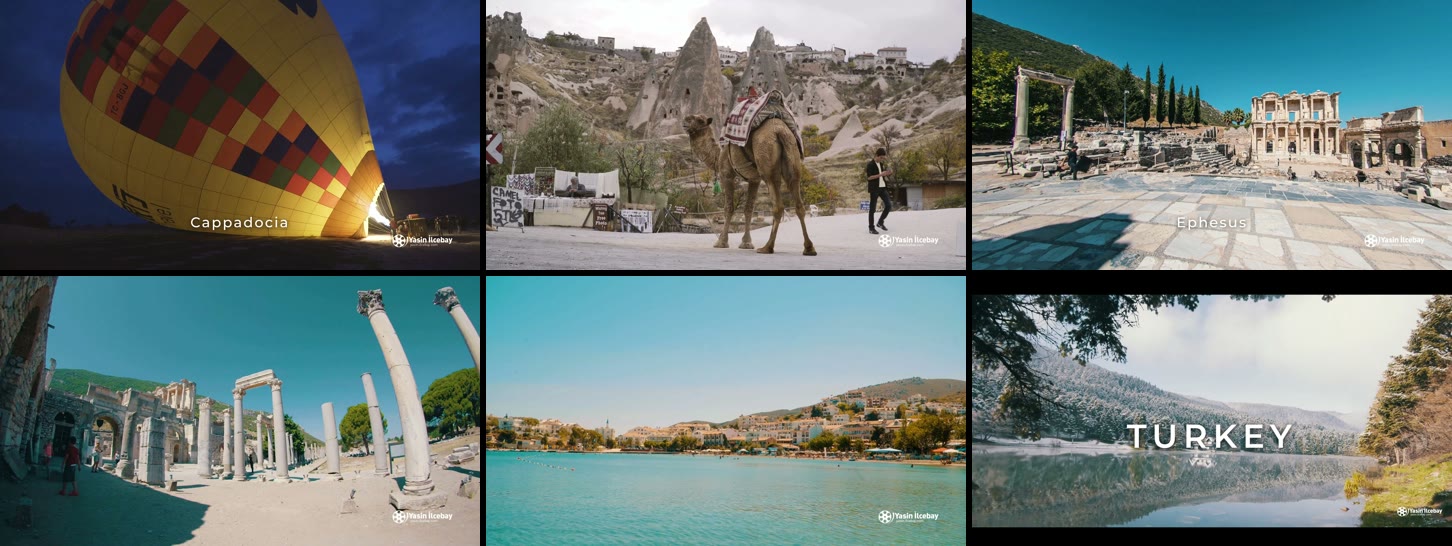
Watch the teaser it made (MP4, 30 s, with sound). Footage and music credits are below.
## Install in 30 seconds
You need [uv](https://docs.astral.sh/uv/) (it fetches Python and the package on first start) and, to import video
into a cloud project, [ffmpeg](https://ffmpeg.org/download.html).
**1. Add Oh My Cassette to your agent.**
```bash
# Claude Code
claude plugin marketplace add Cassette-Editor/oh-my-cassette
claude plugin install oh-my-cassette@cassette-editor
```
```bash
# Codex
codex plugin marketplace add https://github.com/Cassette-Editor/oh-my-cassette.git
codex plugin add oh-my-cassette@cassette-editor
```
```bash
# Hermes
hermes mcp add cassette --command uvx --args oh-my-cassette==0.6.0
```
For OpenCode or any other MCP host, see [Install](#install) below.
**2. Sign in**, whichever host you use:
```bash
uvx oh-my-cassette==0.6.0 login
```
Your browser asks for the code Cassette emails you. Then restart your agent if it cannot refresh its tool list, and say:
> *Start a new Cassette project and import the clips in ./footage, then cut a 30-second travel video with a title at the start.*
## Projects and retention
A new project lives in the cloud unless you place it on one of your Macs; when your account has a Mac running Cassette
for Mac, the service asks which you want.
- **A cloud project** is deleted with its media after three idle days. Every use pushes that back, and each answer says
when it is due (`retention_expires_at`). Exported files are already on your machine in `cassette-exports/` and stay
there.
- **A project held by Cassette for Mac** is kept. The bridge can open, edit, import into and export it while that Mac is
online. When the bridge runs on that Mac, the app reads each file where it is and nothing uploads; from any other
machine each file uploads unchanged, with its embedded metadata, and the cloud copy is deleted once the Mac has it.
[docs/privacy.md](https://github.com/Cassette-Editor/oh-my-cassette/blob/main/docs/privacy.md) has the details.
## Overview
Oh My Cassette connects your coding agent to the Cassette editing agent. It is a local stdio MCP server
that relays to the Cassette MCP service (`CASSETTE_MCP_URL`), which in turn calls the Cassette backend:
```text
Claude Code / Codex / OpenCode / Hermes ──stdio──▶ oh-my-cassette ──HTTP──▶ Cassette MCP service ──▶ Cassette backend
```
- **The tools are the service's.** Whatever it lists (projects, editing turns, questions, undo,
export) is what your agent sees, with the service's own descriptions and workflow instructions.
When Cassette changes, the tools change with it; the plugin does not need a release.
- **The bridge adds only what needs your machine.** Local files named in a call are sent first (only
from the workspace, media types only). For a cloud project they are prepared here: video is
transcoded with ffmpeg into the renditions the service declares, and audio or images the service
cannot take as they are get converted. For a project a Mac holds they go as they are (see
[Projects and retention](#projects-and-retention)). Each file uploads while the next one is prepared, in parts, four transfers at a time; a file whose
upload was interrupted picks up its earlier import when you import it again.
Exported files are downloaded into `cassette-exports/`. The workspace identity travels with each
call so the service can remember a project per directory.
- **Long work never times out the host.** Every call waits a bounded time; slow local preparation
answers `preparing` and keeps going in the background, and the next identical call picks it up.
- **It survives deploys.** It reconnects on its own, retries a call that carries a request id when
the connection drops or the service turns it away, resumes interrupted downloads, reports `bridge.*`
errors with a `retryable` flag (and `retry_after_seconds` when the service said when), and, while
the service is unreachable or refuses the token, lists a single `cassette_bridge_status` tool that
says why.
The rules between the plugin and the service are defined in
[`src/oh_my_cassette/contract.py`](https://github.com/Cassette-Editor/oh-my-cassette/blob/main/src/oh_my_cassette/contract.py); `oh-my-cassette check` verifies a
service against them.
## Requirements
- An invited Cassette account. While the service is unreachable or refuses your sign-in, the only tool
listed is `cassette_bridge_status`, which says why.
- [uv](https://docs.astral.sh/uv/getting-started/installation/) 0.5 or newer. `uvx oh-my-cassette==0.6.0` resolves Python 3.11 or newer by itself.
- [ffmpeg](https://ffmpeg.org/download.html) (with ffprobe) to import video into a cloud project:
`brew install ffmpeg`, `sudo apt install ffmpeg` or `winget install ffmpeg`. Video is transcoded on
your machine before it uploads, and a build with `zscale` also tone-maps HDR footage properly. A
project held by Cassette for Mac does not need it.
The service declares which file types each tool accepts and how they are prepared; the bridge sends
only video, audio and images unless you set `CASSETTE_UPLOAD_ANY_TYPE`.
## Configuration
Sign in once with `oh-my-cassette login`, using the Cassette account that holds your projects; the
````