# update-default-models
Adopt this skill: https://proskills.md/skills/other/eclipse-theia-theia-agents-skills-update-default-models
Page: https://proskills.md/skills/other/eclipse-theia-theia-agents-skills-update-default-models
This document is the public skill bundle for that page. It contains SKILL.md and every helper file the catalog carries. No login is required.
## File: .agents/skills/update-default-models/SKILL.md
size: 2980
sha: fea51859bf41d96111c7b9ee23d73adff344dcd8
upstream: https://github.com/eclipse-theia/theia/blob/master/.agents/skills/update-default-models/SKILL.md
```text
---
name: update-default-models
description: Monthly refresh of the default LLM models of Theia's language model aliases (Anthropic, OpenAI, Google), including the per-model capability tables that cannot be auto-discovered. Use when asked to update the default models, aliases or provider model lists.
---
# Update default models
## 1. Know what is auto-discovered (do not touch)
- Anthropic, Google and OpenAI model lists are discovered from the provider `/models` endpoints; there are no curated list preferences anymore.
- Anthropic reasoning and max tokens come from the API.
- Google `inputTokenLimit` and the `thinking` flag come from `/v1beta/models`.
- Leave the Hugging Face defaults (`packages/ai-hugging-face/src/common/huggingface-preferences.ts`) alone unless asked.
## 2. Research the current lineup
Use web search for each provider (official docs first):
- Latest flagship, balanced and fast model per provider, and their exact API ids.
- Reasoning/thinking levels each new model accepts (which levels it rejects, whether thinking can be turned off).
- API constraints that break Theia's defaults, e.g. OpenAI models that only support tool calling via the Responses API (check the current default of `ai-features.openAiOfficial.useResponseApi` in `packages/ai-openai/src/common/openai-preferences.ts`).
Also check the previous model update PR (`gh pr list --search "default models" --state merged`) for scope and style.
## 3. Update the aliases
`packages/ai-core/src/browser/frontend-language-model-alias-registry.ts`:
- `default/code`, `default/universal`, `default/summarize`: flagship of each provider.
- `default/code-completion`: balanced model (e.g. Sonnet) for Anthropic.
- `default/fast`: fast/cheap tier of each provider.
Order is Anthropic, OpenAI, Google. Never pick a model that cannot call tools with Theia's default API settings.
## 4. Update the capability tables that are inferred from the model id
- OpenAI: `packages/ai-openai/src/node/openai-model-defaults.ts` (context window, reasoning levels per prefix; more specific prefixes first). Note `openai-reasoning.ts` maps `off` to omitting the effort, it does not send `none`.
- Google: `packages/ai-google/src/node/google-language-models-manager-impl.ts` (`reasoningApiFromModelId`, `reasoningSupportFromModelId`). Offer only levels the model accepts; invalid levels return HTTP 400.
- Anthropic: `deriveServerSideCompactionSupport` regex in `packages/ai-anthropic` must still match the new ids.
Add or extend the matching `*.spec.ts` tests for every changed mapping.
## 5. Validate and document
- Run the `compile`, `lint` and `test` tasks for each changed package (`ai-core`, `ai-google`, `ai-openai`, `ai-anthropic`).
- Do not add a `CHANGELOG.md` entry: model updates are not breaking (see `doc/pull-requests.md#changelog-entry`).
- In the PR, list what was deliberately not changed and why (e.g. a model blocked by an API constraint) and ask the maintainers about follow-ups.
```
## File: README.md
upstream: https://github.com/eclipse-theia/theia/blob/master/README.md
```text

Cloud & Desktop IDE Framework
[](https://github.com/eclipse-theia/theia/labels/help%20wanted)
[](https://github.com/eclipse-theia/theia/actions/workflows/ci-cd.yml?query=branch%3Amaster)
[](https://github.com/eclipse-theia/vscode-builtin-extensions/actions/workflows/build.yml?query=branch%3Amaster)
[](https://github.com/eclipse-theia/theia/discussions/categories/q-a)
[](https://github.com/eclipse-theia/theia/labels/bug)
Eclipse Theia is an extensible framework to develop full-fledged multi-language Cloud & Desktop IDEs and tools with state-of-the-art web technologies.
- [Website](#website)
- [Repositories](#repositories)
- [Releases](#releases)
- [Scope](#scope)
- [Roadmap](#roadmap)
- [Getting Started](#getting-started)
- [Contributing](#contributing)
- [Feedback](#feedback)
- [Documentation](#documentation)
- [License](#license)
- [Trademark](#trademark)
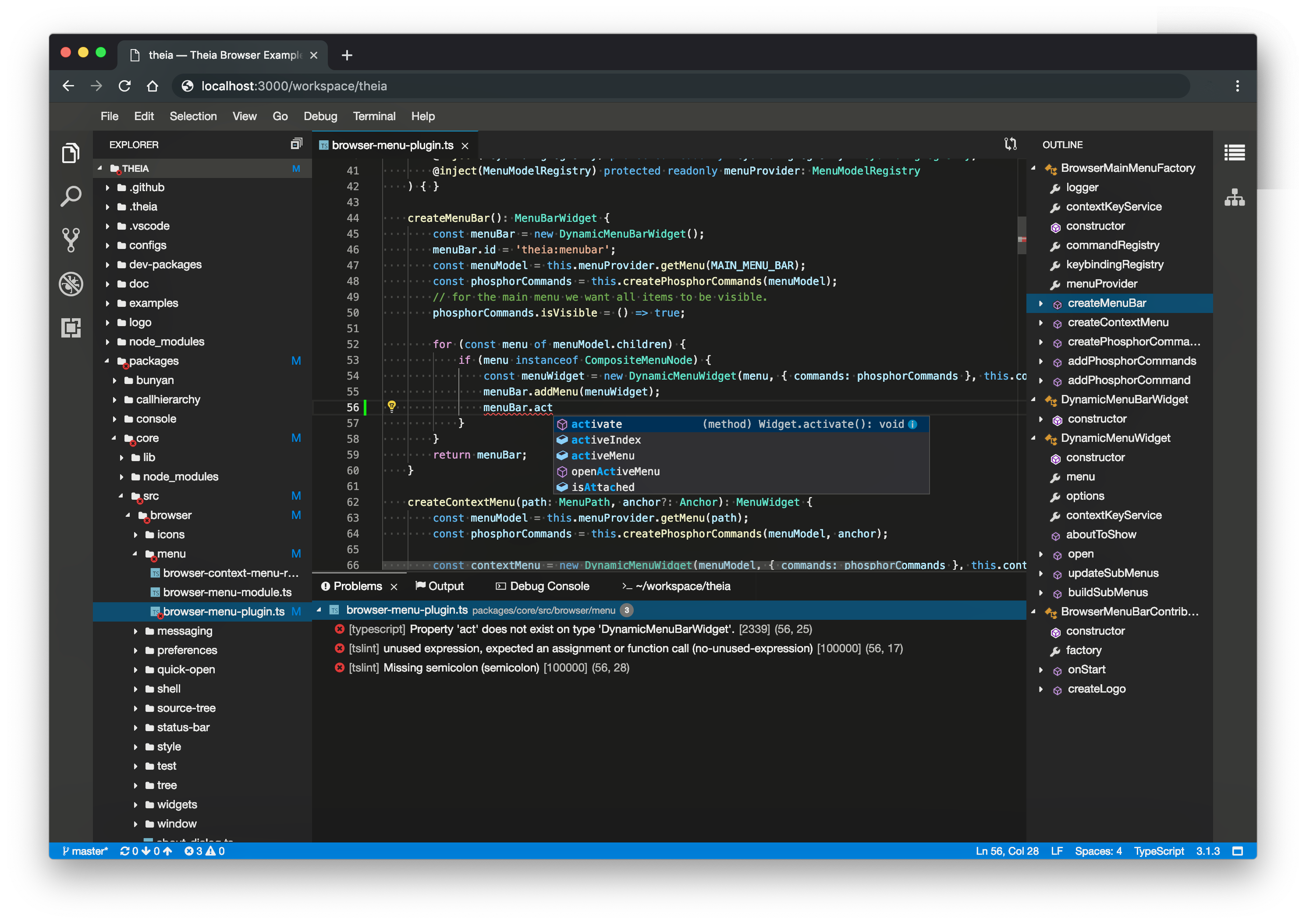
## Website
[Visit the Eclipse Theia website](http://www.theia-ide.org) for more information and [the Theia documentation](http://www.theia-ide.org/docs).
## Repositories
This is the main repository for the Eclipse Theia project, containing the sources of the Theia Platform. Please open generic discussions, bug reports and feature requests about Theia on this repository. The Theia project also includes additional repositories, e.g. for the [artifacts building the Theia IDE](https://github.com/eclipse-theia/theia-blueprint) and the [Theia website](https://github.com/eclipse-theia/theia-website). Please also see the [overview of all Theia project repositories](https://github.com/eclipse-theia).
## Releases
- [All available releases](https://github.com/eclipse-theia/theia/releases) are available on GitHub including changelogs.
- [Detailed release announcements](https://theia-ide.org/resources/) are linked on the Theia website.
- [Community Releases](https://theia-ide.org/releases/) are listed on the Theia website.
- [Visit the release website](https://theia-ide.org/releases/) for more information.
## Scope
- Support building browser-based and desktop IDEs and tools
- Provide a highly flexible architecture for adopters
- Support VS Code Extension protocol
- Develop under vendor-neutral open-source governance
[More details on the project goals](https://theia-ide.org/docs/project_goals/) are available on the Theia website.
## Roadmap
See [our roadmap](https://github.com/eclipse-theia/theia/wiki/Eclipse-Theia-Roadmap) for an overview about the current project goals and the upcoming releases.
## Getting Started
Here you can find guides and examples for common scenarios to adopt Theia:
- [Get an overview of how to get started](https://theia-ide.org/#gettingstarted) on the Theia website
- [Develop a Theia application - your own IDE/Tool](https://theia-ide.org/docs/composing_applications/)
- [Learn about Theia's extension mechanisms](https://theia-ide.org/docs/extensions/)
- [Develop a VS Code like extension](https://theia-ide.org/docs/authoring_vscode_extensions/)
- [Develop a Theia extension](https://theia-ide.org/docs/authoring_extensions/)
- [Test a VS Code extension in Theia](https://github.com/eclipse-theia/theia/wiki/Testing-VS-Code-extensions)
- [Package a desktop Theia application with Electron](https://theia-ide.org/docs/blueprint_documentation/)
## Contributing
Read below to learn how to take part in improving Theia:
- Fork the repository and [run the examples from source](doc/Developing.md#quick-start)
- Get familiar with [the development workflow](doc/Developing.md), [Coding Guidelines](doc/coding-guidelines.md), [Code of Conduct](CODE_OF_CONDUCT.md) and [sign the Eclipse contributor agreement](CONTRIBUTING.md#eclipse-contributor-agreement)
- Find an issue to work on and submit a pull request
- First time contributing to open source? Pick a [good first issue](https://github.com/eclipse-theia/theia/labels/good%20first%20issue) to get you familiar with GitHub contributing process.
- First time contributing to Theia? Pick a [beginner friendly issue](https://github.com/eclipse-theia/theia/labels/beginners) to get you familiar with codebase and our contributing process.
- Want to become a Committer? Solve an issue showing that you understand Theia objectives and architecture. [Here](https://github.com/eclipse-theia/theia/labels/help%20wanted) is a good list to start. Further, have a look at our [roadmap](https://github.com/eclipse-theia/theia/wiki/Eclipse-Theia-Roadmap) to align your contributions with the current project goals.
- Could not find an issue? Look for bugs, typos, and missing features.
## Feedback
Read below how to engage with Theia community:
- Join the discussion on [GitHub](https://github.com/eclipse-theia/theia/discussions).
- Ask a question, request a new feature and file a bug with [GitHub issues](https://github.com/eclipse-theia/theia/issues/new/choose).
- Vote on existing GitHub issues by reacting with a 👍. We regularly check issues with votes!
- Star the repository to show your support.
- Follow Theia on [X](https://x.com/theia_ide).
- Join the [weekly developer call](https://github.com/eclipse-theia/theia/wiki/Dev-Meetings)
## Documentation
- [API Documentation](https://eclipse-theia.github.io/theia/docs/next/index.html)
- [General Documentation](https://theia-ide.org/docs/)
- [VS Code API Compatibility Report](https://eclipse-theia.github.io/vscode-theia-comparator/status.html)
- Useful Links:
- [Developing](doc/Developing.md)
- [Testing](doc/Testing.md)
- [Migration Guide](doc/Migration.md)
- [API Integration Testing](doc/api-testing.md)
- [Coding Guidelines](doc/coding-guidelines.md)
- [Code Organization](doc/code-organization.md)
- [Plugin and VSCode API](doc/Plugin-API.md)
## SBOM
To enhance supply chain security and offer users clear insight into project components, Eclipse Theia now generates a Software Bill of Materials (SBOM) for every release. These are published to the Eclipse Foundation SBOM registry, with access instructions and usage details available in this [documentation](https://eclipse-csi.github.io/security-handbook/sbom/registry.html).
## License
- [Eclipse Public License 2.0](LICENSE-EPL)
- [一 (Secondary) GNU General Public License, version 2 with the GNU Classpath Exception](LICENSE-GPL-2.0-ONLY-CLASSPATH-EXCEPTION)
## Trademark
"Theia" is a **trademark of the Eclipse Foundation**. [Learn More](https://www.eclipse.org/theia)
```