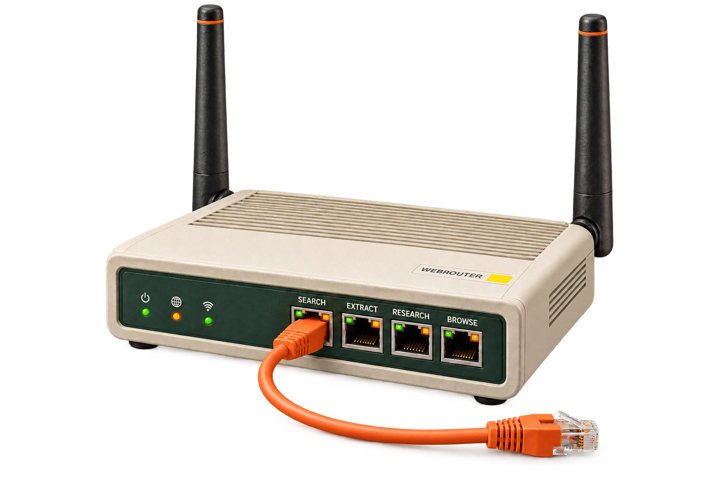
The open source standard for agent web access.





Documentation · Quickstart · Providers · Examples
WebRouter connects agents to search, extract, live data, answer, research and browsers through one typed interface, across many providers. - **Agent web primitives.** Find pages, read them, ask for an answer, run deep research, call a site's structured scraper, or drive a browser. - **Smart routing.** Static fallback and optional routers trade off cost, latency and coverage for each task and the providers you have keys for. - **No vendor lock-in.** Calls and results keep the same shape when you switch providers. WebRouter is Apache 2.0 and runs with your own keys. - **Providers and vendor APIs.** Use one call shape across web providers, then use the curated catalog for provider-specific APIs. - **Governance and security.** Control provider selection and routing, keep keys scoped to their provider, reject unsupported constraints, and require explicit opt-in for vendor writes.Useful? Star the repo so more agent developers can find it. ⭐
> **Developer preview:** the API may change before 1.0. Share feedback on [Discord](https://discord.gg/MGztFWSjZh). ## Quickstart Install WebRouter and make a search with no API key: ```bash pip install "webrouter[all]" ``` ```python from web_router import WebRouter response = WebRouter().search("what is retrieval augmented generation", max_results=5) for result in response.results: print(result.title, result.url) print(response.provider) # which backend actually answered pages = WebRouter().extract(response.urls[:3], format="markdown") for document in pages.documents: print(document.url, len(document.content)) ``` The [full Quickstart](https://docs.webrouter.net/quickstart) adds a named provider, API keys, async usage, install extras and source setup. [Runnable examples](https://github.com/Nimbleway/webrouter/tree/main/examples) cover each core method, routing, integrations and common errors. Most need no credentials. ## Documentation The docs site is the canonical guide for getting started and for the core methods. This README keeps the advanced and contributor-facing surfaces that have not moved there yet. | Start here | Core methods | Reference | | --- | --- | --- | | [Introduction](https://docs.webrouter.net) | [Search](https://docs.webrouter.net/search) | [Configuration](https://docs.webrouter.net/configuration) | | [Quickstart](https://docs.webrouter.net/quickstart) | [Extract](https://docs.webrouter.net/extract) | [Errors](https://docs.webrouter.net/errors) | | [How it works](https://docs.webrouter.net/how-it-works) | [Answer](https://docs.webrouter.net/answer) | [Providers](https://docs.webrouter.net/providers) | | [Examples](https://github.com/Nimbleway/webrouter/tree/main/examples) | [Research](https://docs.webrouter.net/research) | [MCP server](https://github.com/Nimbleway/webrouter/blob/main/docs/mcp.md) | | | [Browser sessions and agents](https://docs.webrouter.net/browser) | | ## Provider support Twelve search backends, seven extract backends, a live data catalogue, five answer backends, three agentic research backends (plus Exa's, retired upstream), five browser-session backends and three browser agents. One call each. Switching between them is one argument. A provider name serves the methods it serves and no others: `brave` searches and cannot extract, `oxylabs` extracts and cannot search, `nimble` searches, extracts, runs live data and researches, and `browserbase` opens sessions, runs browse tasks and extracts. Ask a method for another's backend and it says so, naming the backends that method does serve. ### Search `[search]` installs all of these but AgentCore, which needs `[aws]`. The first column is what you pass to `WebRouter(...)` to pick one at runtime. The string beside it is the same value, and what `response.provider` and `configured_providers()` report back. | Pass | Name | Provider | Backed by | Options mapped | | --- | --- | --- | --- | --- | | `Provider.NIMBLE` | `nimble` | [Nimble](https://nimbleway.com) | `nimble-python` | all but `effort` | | `Provider.TAVILY` | `tavily` | [Tavily](https://tavily.com) | `tavily-python` | all but `effort` | | `Provider.YOU` | `you` | [You.com](https://you.com/platform) | direct HTTP | all but `effort` | | `Provider.BRAVE` | `brave` | [Brave](https://brave.com/search/api/) | direct HTTP | all but `effort`; `search_depth` at `lite` only | | `Provider.EXA` | `exa` | [Exa](https://exa.ai) | direct HTTP | all but `locale` | | `Provider.PARALLEL` | `parallel` | [Parallel](https://parallel.ai) | direct HTTP (`/v1/search`, `mode=fast` unless `effort` sets it) | all but `locale`; `search_depth` at `lite` and `fast` | | `Provider.PERPLEXITY` | `perplexity` | [Perplexity](https://docs.perplexity.ai) | direct HTTP | all of them; `search_depth` at `lite` and `fast` | | `Provider.LINKUP` | `linkup` | [Linkup](https://www.linkup.so) | direct HTTP | `max_results`, `include_domains`, `exclude_domains`, `recency`, `effort` | | `Provider.WEBIQ` | `webiq` | [WebIQ](https://api.microsoft.ai) (Microsoft AI Web Search) | direct HTTP | all but `recency` and `effort` | | `Provider.KEENABLE` | `keenable` | [Keenable](https://docs.keenable.ai) | direct HTTP; keyless with `allow_keyless=True` (rate-limited per IP) | `max_results`, `search_depth` (`lite`, `fast`), `include_domains` (one), `recency`, `effort` | | `Provider.DEEPSEEK` | `deepseek` | [DeepSeek Search](https://api-docs.deepseek.com/guides/search) | direct HTTP | `max_results` (at most 50), `search_depth` (`lite`, `deep`), `include_domains`, `exclude_domains`, `locale`, `recency`, the last four sent inside the query, which must fit 128 characters | | `Provider.AGENTCORE` | `agentcore` | [AWS AgentCore Web Search](https://docs.aws.amazon.com/bedrock-agentcore/latest/devguide/gateway-target-connector-web-search-tool.html), through your own AgentCore Gateway ([setup](docs/agentcore-setup.md)) | MCP over HTTP, SigV4 via `botocore` (`[aws]`) | `max_results` (at most 25), `include_domains`, `exclude_domains`, `recency` (connector 1.2.0 or later). An end date is AgentCore's own `provider_options={"filters": {"publishedDateFilter": {"to": ...}}}`. Queries up to 200 characters. AWS's terms: show each result's citation, and do not store results in bulk | | `Provider.YOU_MCP` | `you-mcp` | [You.com MCP](https://api.you.com/mcp) | direct HTTP, **no key** | all but `effort` | | `Provider.EXA_MCP` | `exa-mcp` | [Exa MCP](https://exa.ai/docs/reference/exa-mcp), its `web_search_advanced_exa` tool | direct HTTP, **no key** | all but `locale` | | ````