⏳ This skill is pending AI review.
Scores will appear once the review pipeline completes.
approve
Request write permission from the user before making file changes. MUST be invoked before any write attempt when the write gate is closed. Creates scoped approval via AskUserQuestion + TaskCreate, opens the write gate, and closes it when work is done. Triggers: write hook blocks an edit, agent is about to write files outside .craft/, agent needs to modify project source files. This skill requires user approval 100% of the time - never bypass AskUserQuestion.
Choose how to use this skill
You do not need every option. Choose the path your AI client supports. The stable page stays the same; versioned files are immutable.
1. Native installer
This listing has no registered native installer command. Use the complete package or source fallback below, depending on what your client supports.
Do not guess an installer command or replace an existing version without reviewing the diff.
2. Complete package recommended
Download the ZIP when available. It includes SKILL.md plus the references, security notes and version metadata.
No complete ProSkills package is published for this listing yet.3. Prompt-only
Copy the prompt above when the agent can read the stable page or when you want to adopt the workflow without installing a skill.
Need only the instruction file?
Download SKILL.md only if your client requires a single file. The complete ZIP is safer for a full installation because it preserves the references and release context.
No path installs or executes anything by itself. Your agent still needs access to the project files. Before updating, compare the installed version and review the diff.
// RATINGS
// README
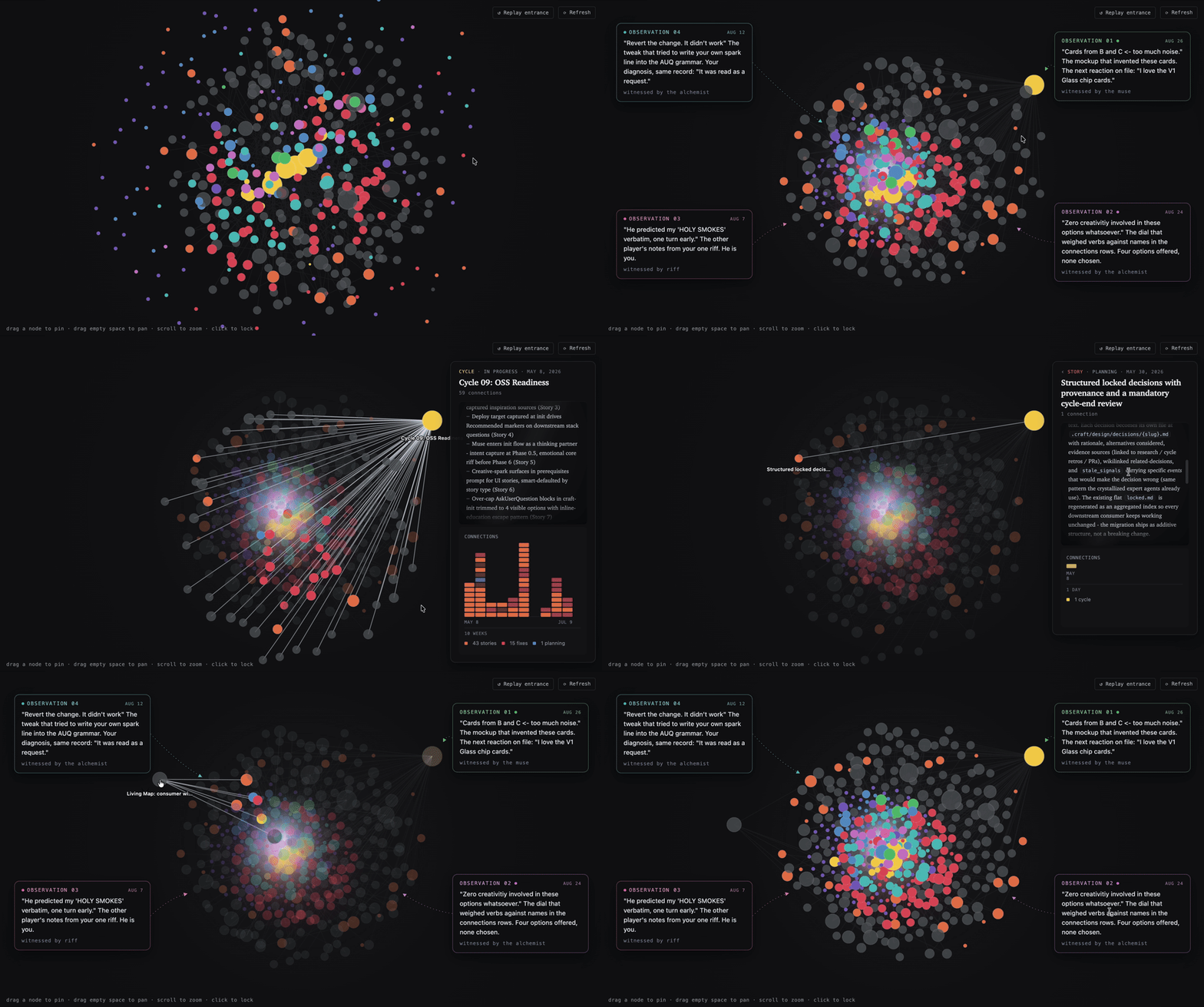
Not a demo - this ships with the plugin. Run /craft:dashboard and it's your own project in here: every story, fix, riff, and idea you've worked through, linked and alive. Your second brain, filling itself in while you build.
Craft 
Stop Vibing. Start Crafting.
A Claude Code plugin that acts as an intelligent harness for your development workflow: your codebase is read-only by default, every change passes through a Write Gate as planned and approved work, and craft tracks your project's history, design tokens, and decisions locally so Claude learns your taste and architectural preferences over time.
Your codebase is read-only by default. Changes never land as a side effect of asking a question - every write goes through a channel you opened: a planned story, an investigated fix, a live tweak, or an approved one-off.



Install · Getting Started · Commands · How it works · What's New
Install in about a minute:
claude plugin marketplace add drobins25/craft
claude plugin install craft@craft
Then start Claude Code and run /craft - full install notes.
It steals your best ideas back. You say "that's it!" after working through a tweak, and craft remembers. It waits, then brings that same taste back on a completely different feature - elevated. Keep going, and you'll catch yourself asking, "how did I do this?"
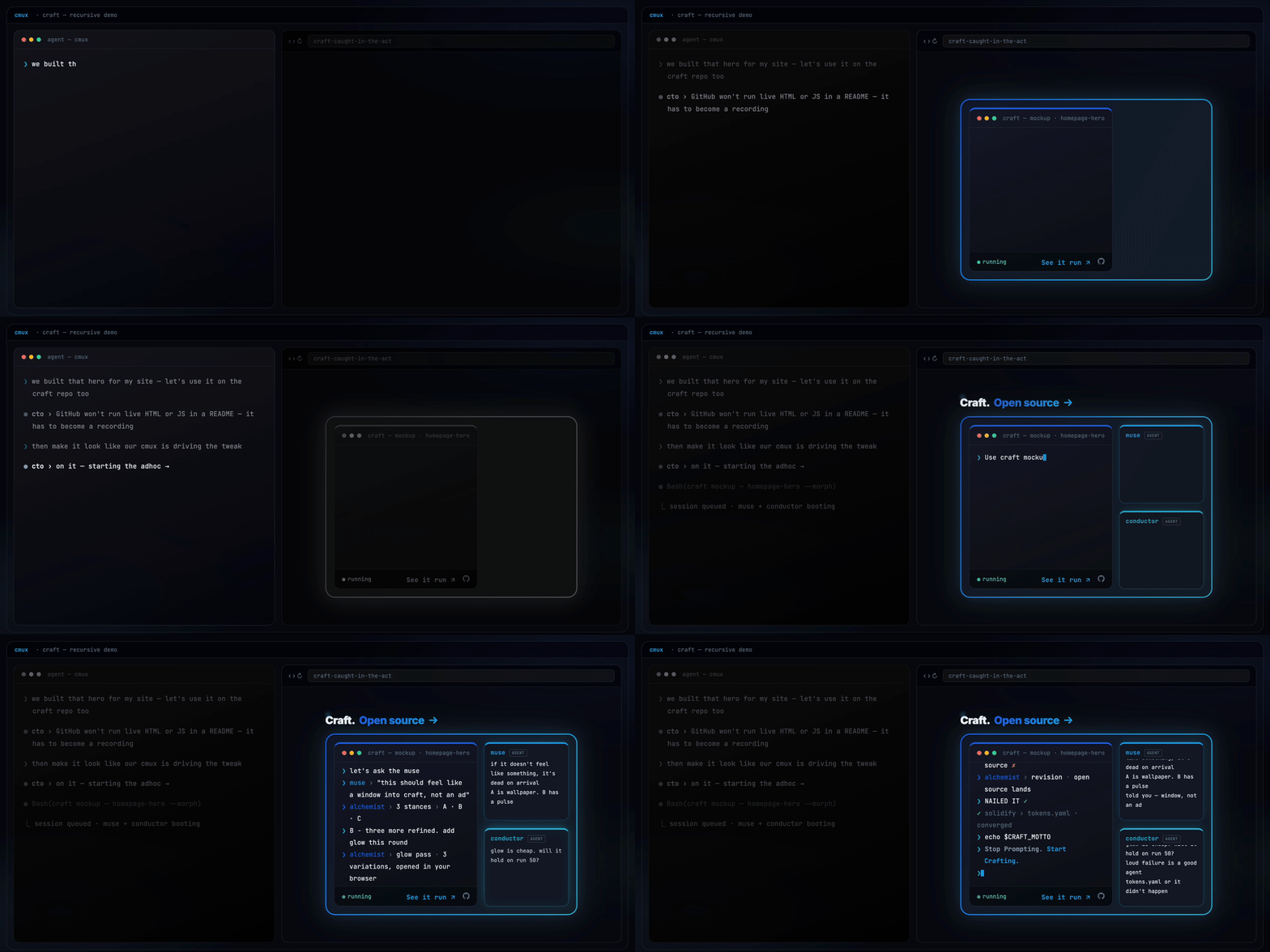
Craft building its own repo page, live.
[!TIP] Don't want to read any of this? You don't have to.
Just say it to craft, in your own words:
"How can the craft guide agent help me solve this?"
The read-only
guideagent auto-triggers on questions like that and answers from craft's actual source, not vibes. No command to memorize - though/craft:guideis there if you want to reach it on purpose.
Built with Craft
Craft has shipped real, public products across different domains - click through and see working software:
- darinbuilds.com - an immersive single-page portfolio and marketing site (Next.js, GSAP scroll), built across 30+ craft cycles.
- throve.fit - a structured daily coaching app: week-view programming, curated workouts with real coach's notes, exercise alternatives, and completion tracking.
- hirecalling.jobs - client work: a hiring platform where every job application triggers a verified, live-tracked donation to a nonprofit. Job searching that gives back.
- wodspark.com - where craft started: a free on-demand workout generator - pick a focus, equipment, and duration, and it builds a workout instantly.
Two of these are fitness apps, and they're genuinely different products - an instant generator versus a structured coaching tool. One is paid client work, shipped for someone else's business. That's the point: the same harness shipped range, not one idea four times.
What makes Craft different
Most Claude Code plugins ship a fixed set of helpers. Craft ships a workshop where you build your own - agents that argue from conviction, not a system prompt.
Craft's conductor is the AI-harness eagle eye craft itself is built under - every skill, agent, and hook in this repo was designed under its scrutiny. Ask it whether telling Claude "don't touch prod" actually protects you:
"You can, and it'll work about 95% of the time - which means it's guaranteed to fail on the exact run you can least afford it to. Instructions are guidance, not enforcement; a rule in your CLAUDE.md is a request the model can starve out under context pressure. If breaking this would actually hurt you, that's not a prompt - that's a hook. Exit code 2 blocks. A sentence just hopes."
That's not a system prompt. It's a crystallized practitioner. /craft:become studies a tool, role, or person and turns it into a portable agent that argues from scar tissue earned at 2 AM on run 50 - not read from docs.
And not just for code. Here's craft's muse, on why technically impressive features die:
I've watched enough launches fail - Google Wave, Fire Phone, Juicero, Google+, Facebook Home - to recognize the pattern before the metrics arrive. The pattern is always the same: the demo room loved it, the press loved it, users used it once and left. The thing that was missing was never functionality. It was always feeling.
Same machinery, different domain. You point /craft:become at the expertise you wish were in the room, and it crystallizes a mind you can consult - one with beliefs, refusals, and the scar tissue that makes its judgment worth trusting.
The Mockup Funnel
/craft:mockup is the fastest way to feel what craft is. Name something visual - a card, a hero, a whole page - and craft's alchemist builds three genuinely different live HTML options. Stances, not variations: at most one option may stay inside your current design language, and at least one has to go further than you dared to ask. Three safe layouts in the current palette counts as a failed round.
You just ask:
"Can we create a craft mockup of the ecosystem cards?"
and craft opens the funnel - three live options, in your browser, at real scale.
From there you converge by reacting in plain words - no forms, no pickers:
- Diverge. Three options at real scale, embedded in real surrounding context. Say which one pulls and what's wrong with the others. Hybrids are legal briefs: "B with C's cards."
- Refine. Your pick becomes the base; the alchemist builds variations of it.
- Polish. The live loop: micro-adjustments are injected straight into the open page while you watch in your own browser. React, keep or discard, next one - seconds per iteration.
And when a reaction is only a feeling - "B is close but something's off" - craft riffs the fuzzy reaction into a sharp direction with you before rebuilding, instead of burning a round on its own guess about what you meant.
Acceptance is explicit - "that's it, ship it" - and then the important part happens: the new design values solidify into tokens.yaml with provenance, before any downstream artifact exists. Every later story, validator, and analyzer now enforces the design you approved in your own browser. The converged mockup then graduates on your call: tweak it in now, grow it into a story (its CSS ports as-is, never reinterpreted), or park it as a notebook todo that remembers everything.
And the mockup isn't the only door into your project's DNA. A two-minute tweak takes the same one:
"Tweak the rim around the Start button - gradient glow, maybe?"
craft routes it to /craft:adhoc, makes the change in place, shows you, and records wh
// HOW IT'S BUILT
KEY FILES