⏳ This skill is pending AI review.
Scores will appear once the review pipeline completes.
forgecad
ForgeCAD model authoring, editing, debugging, and execution guidance for .forge.js, SVG-import, assembly, and CLI workflows. Use when building or modifying ForgeCAD geometry, structuring multi-file projects, validating scripts, or using ForgeCAD export/render tooling.
Choose how to use this skill
You do not need every option. Choose the path your AI client supports. The stable page stays the same; versioned files are immutable.
1. Native installer
This listing has no registered native installer command. Use the complete package or source fallback below, depending on what your client supports.
Do not guess an installer command or replace an existing version without reviewing the diff.
2. Complete package recommended
Download the ZIP when available. It includes SKILL.md plus the references, security notes and version metadata.
No complete ProSkills package is published for this listing yet.3. Prompt-only
Copy the prompt above when the agent can read the stable page or when you want to adopt the workflow without installing a skill.
Need only the instruction file?
Download SKILL.md only if your client requires a single file. The complete ZIP is safer for a full installation because it preserves the references and release context.
No path installs or executes anything by itself. Your agent still needs access to the project files. Before updating, compare the installed version and review the diff.
// RATINGS
Not yet listed on ClawHub or SkillsMP
// README
ForgeCAD Public Kit
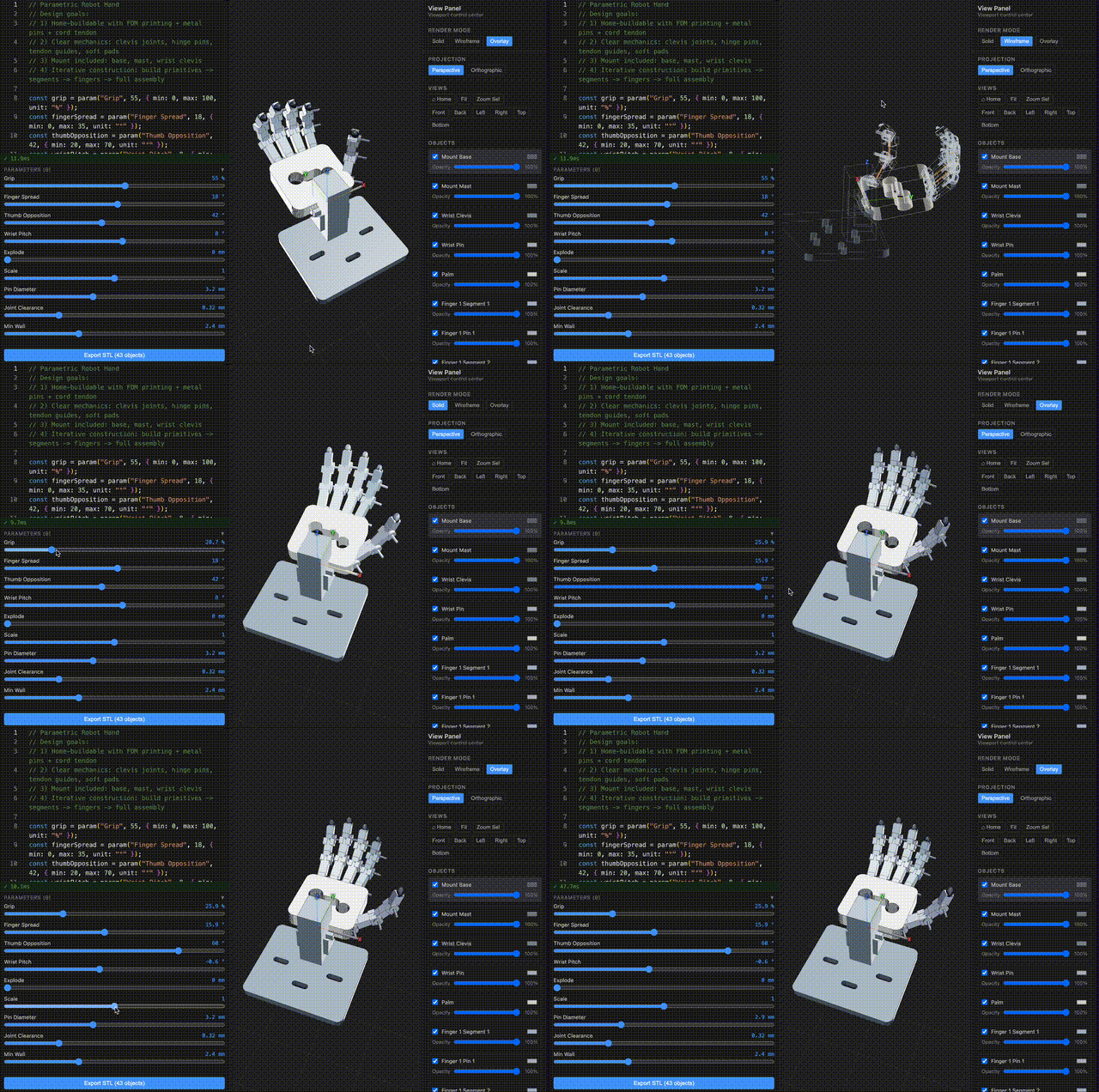
Public examples, agent skills, docs links, and issue tracking for ForgeCAD.
ForgeCAD is code-first parametric CAD for JavaScript/TypeScript: a normal .forge.js file becomes a live model with parameters, assemblies, validation, renders, inspections, and exports.
This repository is the public companion kit. It is intentionally focused on assets people can use directly: example models, installable agent skills, public issues, docs links, and historical benchmark artifacts.
TypeScript is the file format. The browser is the CAD system.
Try ForgeCAD • Docs • Examples • Agent skills • Open an issue
Start Here
| If you want to... | Go here |
|---|---|
| Use the CAD app | forgecad.io |
| Learn the API | Docs |
| Run example models | examples/ |
| Install agent workflows | skills/ |
| Report a bug or request an API | Issues |
| Check commercial terms | Pricing |
Repository Scope
| This public kit contains | The hosted product contains |
|---|---|
Ready-to-run .forge.js examples | Browser workbench and project storage |
| Agent skills and workflow prompts | Core app source and infrastructure |
| Public bug reports and feature requests | Account, billing, and usage systems |
| Historical benchmark artifacts | Product roadmap execution and customer projects |
The npm package, CLI, hosted app, and backend/application usage are governed by ForgeCAD's product terms. This public kit itself is MIT licensed.
Get Started
Install the CLI:
npm install -g forgecad
Start from the hosted starter project:
forgecad login
forgecad project clone start-here
cd start-here
forgecad studio .
forgecad login guides you through email/password or API-token sign-in. Choose API token for GitHub/Google accounts.
A ForgeCAD project is a dedicated local folder linked to the hosted app by forgecad.json. Use forgecad project clone <slug> to download an existing project, or run forgecad project init inside a folder you want to make into a new ForgeCAD project.
Create a new project locally:
mkdir spool-adapter
cd spool-adapter
forgecad project init "Spool Adapter" --visibility private
forgecad new adapter --template part
forgecad studio .
Do not point forgecad studio at your home directory, downloads folder, desktop, or a huge source tree. It requires an explicit project path; use . for the current project folder.
Explore the public examples locally:
git clone https://github.com/KoStard/forgecad-public-kit.git
cd forgecad-public-kit
forgecad studio examples
forgecad run examples/products/cup.forge.js
forgecad render 3d examples/products/cup.forge.js
Open more than one local project at once:
forgecad studio examples path/to/another-project
Keep one long-running forgecad studio <project-path> [project-path ...] process open with every active project folder listed in its arguments; the user opens the single printed localhost port once, and AI agents should only create or edit files under those folders so the browser updates live without starting more servers.
First Script
Inside a cloned or initialized ForgeCAD project, drop this into starter.forge.js:
const width = Param.number("Width", 90, { min: 50, max: 160, unit: "mm" });
const depth = Param.number("Depth", 56, { min: 32, max: 100, unit: "mm" });
const height = Param.number("Height", 12, { min: 6, max: 32, unit: "mm" });
const holeRadius = Param.number("Hole Radius", 5, { min: 2, max: 10, unit: "mm" });

const base = box(width, depth, height).color("#5f87c6");
const hole = cylinder(height * 3, holeRadius).translate(0, 0, -height);

return {
  "starter plate": base.subtract(hole),
};
Then run:
forgecad run starter.forge.js
forgecad studio .
Repository Contents
This repository is ForgeCAD's public companion kit for:
- Issues and discussion — bugs, feature requests, questions, and public roadmap input.
- Examples — ready-to-run
.forge.jsscripts underexamples/. - Agent skills — the generated ForgeCAD modeling skill plus companion workflows under
skills/. - Benchmarks — examples of how current language models handle code-first CAD prompts.
- Docs links — full user documentation lives at forgecad.io/docs.
If there is a component you want opened up sooner, file an issue.
Examples To Try
CLI Workflows
| Task | Command |
|---|---|
| Clone a hosted project | forgecad project clone <slug> |
| Create a new hosted project from the current folder | forgecad project init "Project Name" |
| Open one or more local projects | forgecad studio <project-path> [project-path ...] |
| Validate a script | forgecad run file.forge.js |
| Render a PNG | forgecad render 3d file.forge.js |
| Inspect a model | forgecad inspect collisions file.forge.js |
| Render a section | forgecad render section file.forge.js --plane XZ |
| Export STL | forgecad export stl file.forge.js |
| Export STEP | forgecad export step file.forge.js |
| Sweep parameters | forgecad check params file.forge.js --samples 10 |
forgecad project init creates the remote project, writes forgecad.json, and uploads local source files. forgecad project push syncs an already initialized project; it does not create a remote project from a random folder.
Run forgecad doctor if render or exact export dependencies need checking.
AI And Agent Workflows
ForgeCAD is built to work well with coding agents because CAD models are just code. The strongest loop is:
agent edits .forge.js -> forgecad run -> forgecad inspect <evidence> -> iterate
The full setup, approved model list, installed skills, flattened skill files, and completion criteria are in the AI Usage guide.
Install the ForgeCAD public skill library:
forgecad skill install
That installs the core forgecad skill plus public workflow skills such as forgecad-build-model, forgecad-design-spec, and forgecad-inspect-model into ~/.agents/skills. Use --target when you want to update a different agent location:
forgecad skill install --target claude    # ~/.claude/skills
forgecad skill install --target codex     # ~/.codex/skills
forgecad sk
// HOW IT'S BUILT
KEY FILES