⏳ This skill is pending AI review.
Scores will appear once the review pipeline completes.
commit
Create well-structured git commits from the current working tree. Use when the user says 'commit', 'save my work', 'let's commit this', 'make a commit', or any variation of wanting to commit code to git.
Choose how to use this skill
You do not need every option. Choose the path your AI client supports. The stable page stays the same; versioned files are immutable.
1. Native installer
This listing has no registered native installer command. Use the complete package or source fallback below, depending on what your client supports.
Do not guess an installer command or replace an existing version without reviewing the diff.
2. Complete package recommended
Download the ZIP when available. It includes SKILL.md plus the references, security notes and version metadata.
No complete ProSkills package is published for this listing yet.3. Prompt-only
Copy the prompt above when the agent can read the stable page or when you want to adopt the workflow without installing a skill.
Need only the instruction file?
Download SKILL.md only if your client requires a single file. The complete ZIP is safer for a full installation because it preserves the references and release context.
No path installs or executes anything by itself. Your agent still needs access to the project files. Before updating, compare the installed version and review the diff.
// RATINGS
Not yet listed on ClawHub or SkillsMP
// README
docx-cli
Let your AI agent do real work in your Word documents. Fill in contracts and forms, update tables and figures, restyle a résumé, write a report from scratch, or review a draft with tracked changes and comments. When you open the file in Word, it still looks like yours.



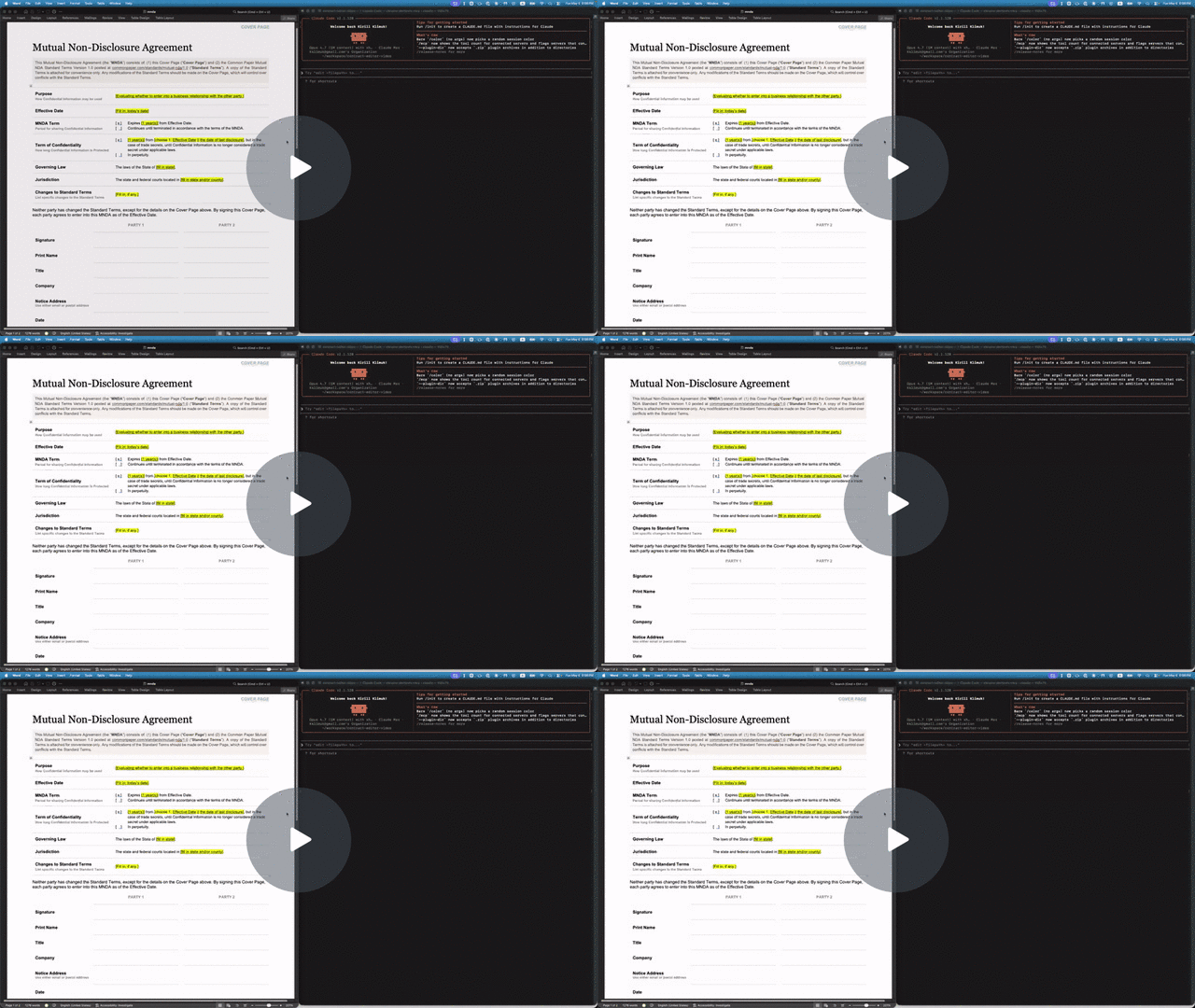
- Let your agents cheaply work at a fraction of the cost and time of most skills. Official skills force agents to unpack and self-manage OOXML that composes Word documents, which means that basic operations can be quite expensive on tokens and time. CLIs like OfficeCLi often force them to compose smaller operations with JSON they often struggle to understand in context.
docx-climakes the work familiar by standardizing most operations as creating, updating, deleting, or replacing Markdown. - Use less-capable models. docx-cli is tuned to work even if the model is weak (like Haiku, Luna, or even Qwen 3.5 9B). It decreases context use by using a Markdown that survives multiple rounds of insertions and updates instead of JSON. It also saves on context by avoiding reading images of the documents by including as much visual context as annotations. It self-documents by providing clear help text with examples, but also providing actionable hints when something goes wrong.
- Built from the ground up for review workflows. It's built to handle change tracking, accept/reject changes, and handle interactions from multiple reviewers.
- Works with any harness. Works with Claude Code, Codex, Pi, and anything else that reads the open Agent Skills format.
How it benchmarks
In short: on our six-task benchmark, docx-cli got the same results as Anthropic's docx skill (the skill Claude uses for Word files) in 27% less time, with 22% fewer input tokens and 41% fewer output tokens using Haiku 5.5. Compared to OfficeCLI, it was roughly 2x faster at half of the tokens, while finishing every task that OfficeCLI got wrong.
| Haiku 5.5 | docx-cli 0.27.0 | Anthropic docx skill | OfficeCLI 1.0.156 |
|---|---|---|---|
| Tasks solved (of 6) | 6.0 | 6.0 | 4.7 |
| Every run solved (all 3) | 6/6 | 6/6 | 4/6 |
| Input tokens (cache-weighted) | 902k | 1.15M (+27%) | 1.92M (+113%) |
| Output tokens | 32k | 54k (+70%) | 63k (+97%) |
| Wall-clock, all 6 tasks | 914 s | 1,254 s (+37%) | 1,834 s (+101%) |
| Tool calls | 98 | 124 (+26%) | 165 (+69%) |
- Editing existing documents is where docx-cli saves. On the five editing tasks it used about 30% fewer input tokens and 35% less time than Anthropic's skill.
- On the two contract tasks, all three tools passed every run. There the difference is cost and speed, not correctness.
- OfficeCLI's four misses were the résumé every time (after the margin change, every date line wrapped, some mid-word, e.g. "Cambrid / ge, MA") and one invoice (the old notes line was left in place). That résumé wrap is a trap docx-cli specifically repairs, so read "fewer misses" with that in mind.
- Every output from every tool opened in Word.
What to know about this benchmark. We wrote docx-cli, the six tasks, and the grading rubrics, and these tasks are also the regression suite docx-cli is developed against. It's three runs per tool on one model. The judge knew which tool produced each result; competitor runs carried an instruction to grade the rendered pages and not penalize a different internal approach. Competitors were pinned (Anthropic skill at anthropics/skills@dbd4588, OfficeCLI 1.0.156 by SHA-256). On older models the correctness gap was large (Haiku 4.5, July 2026: 5.0/6 vs 0.7/6 for the default skill); on current models it has closed. Per-task numbers, every caveat, and how to reproduce: benchmarks/2026-10-10.
Agent Setup
Paste this messages into your agent of choice:
Set up docx-cli (https://github.com/kklimuk/docx-cli) so you can edit Word documents for me.
1. Install the skill for the agent you are:
   - Claude Code: claude plugin marketplace add kklimuk/docx-cli && claude plugin install docx-cli@docx-cli
   - Codex: codex plugin marketplace add kklimuk/docx-cli   (the skill loads automatically; nothing else to install)
   - Any other agent: npx skills add kklimuk/docx-cli -g -y
2. Install the `docx` program:
   - If Bun is installed: bun add -g bun-docx
   - Otherwise, from an empty temporary directory:
       curl -fsSLO https://github.com/kklimuk/docx-cli/releases/latest/download/install.sh
       curl -fsSLO https://github.com/kklimuk/docx-cli/releases/latest/download/SHA256SUMS
       shasum -a 256 -c SHA256SUMS --ignore-missing   (or: sha256sum -c SHA256SUMS --ignore-missing)
     Only if that prints "install.sh: OK", run: REQUIRE_CHECKSUM=1 sh install.sh
   - Windows: download docx-windows-x64.exe from https://github.com/kklimuk/docx-cli/releases/latest,
     compare `Get-FileHash docx-windows-x64.exe` with its line in SHA256SUMS, rename it to docx.exe,
     and put it on PATH.
3. Run `docx --version`. If it isn't found, add ~/.local/bin to PATH and try again.
4. Tell me it's ready. (In Claude Code, the skill is available from the next session.)
Note: the npm package is `bun-docx`. The npm packages named `docx` and `docx-cli` are unrelated.
Any agent (skills.sh):
npx skills add kklimuk/docx-cli
Claude Code:
/plugin marketplace add kklimuk/docx-cli
/plugin install docx-cli@docx-cli
Codex (the plugin's skills auto-discover):
codex plugin marketplace add kklimuk/docx-cli
Pi (the pi manifest in package.json pulls in the skill), then invoke /skill:docx-cli:
pi install git:github.com/kklimuk/docx-cli # global; add -l for a project (team-shared) install
Manual: copy skills/docx-cli/ into your agent's skills directory (e.g. ~/.claude/skills/ or the cross-tool ~/.agents/skills/). If docx isn't installed, the skill tells the agent to run scripts/bootstrap.sh, which installs a pinned, checksum-verified binary (and, run again later, updates one that's behind).
The skill is thin on purpose: it teaches the workflows, then defers to docx <command> --help, which ships with the program, so it can't go stale. docx info skill prints the canonical SKILL.md for the installed version.
Why docx-cli instead of something else?
On our benchmark docx-cli solved every task and was the cheapest and fastest of the three tools above. Here's how it compares with each alternative.
- Anthropic's docx skill: docx-cli has the same accuracy, with less spend. docx-cli took 27% less time, 22% fewer input tokens, 41% fewer output tokens, and 98 tool calls against 124. On finalizing a redline it used about half: 94k tokens and 86 s against 179k and 159 s. The skill has the agent hand-edit Word's X
// HOW IT'S BUILT
// FILES
2 files shipped with this skill. Inline text is the catalog copy. The upstream link is the source repository.
.claude/skills/commit/SKILL.md3.4 KB7c23e99a6773upstream ↗
--- name: commit description: "Create well-structured git commits from the current working tree. Use when the user says 'commit', 'save my work', 'let's commit this', 'make a commit', or any variation of wanting to commit code to git." metadata: internal: true --- # Commit Create clean, well-structured git commits that tell a coherent story. ## Process ### 1. Assess the Working Tree Run `git status` (never `-uall`) and `git diff` to understand what changed. Also run `git log --oneline -5` to match the repo's existing commit message style. If there are no changes, say so and stop. ### 2. Group Changes by Intent Look at the changed files and mentally group them: - **Feature**: new functionality (client + server + tests for the same feature = one commit) - **Fix**: bug fixes - **Refactor**: structural changes that don't change behavior - **Docs**: documentation-only changes (CLAUDE.md, README, comments) - **Test**: test-only additions or changes - **Chore**: config, dependencies, tooling Rules for grouping: - **Prefer fewer commits.** A feature that touches 15 files is still one commit if it's one logical change. - **Only split when intent is genuinely different.** "Add collaborative editing" is one commit even if it touches client, server, DB, and tests. But "add collaborative editing" + "fix unrelated CSS bug" should be two commits. - **For a first commit or large initial build, one commit is fine.** Don't artificially split an initial implementation. - **Docs updates that accompany code changes go in the same commit.** Only separate docs commits for docs-only changes. ### 3. Present the Plan Before committing, show the user: - How many commits you plan to make - For each commit: the message and which files are included - Ask for confirmation ### 4. Create the Commits For each commit: 1. Stage the specific files with `git add <file1> <file2> ...` (never `git add -A` or `git add .`) 2. Commit with a message using this format: ``` <type>: <concise description> <optional body — explain WHY, not WHAT. The diff shows what.> Co-Authored-By: Claude <[email protected]> ``` Types: `feat`, `fix`, `refactor`, `docs`, `test`, `chore` Message guidelines: - Subject line under 72 characters - Use imperative mood ("add", not "added" or "adds") - The subject should complete the sentence "This commit will..." - Body is optional — use it for non-obvious context (e.g., "the old approach caused X" or "this unblocks Y") - Always include the Co-Authored-By trailer ### 5. Verify After all commits, run `git log --oneline -10` to show the result. ## Safety Rules - **Never commit `.env`, credentials, or secrets.** Check staged files for these patterns and warn. - **Never use `git add -A` or `git add .`** — always stage specific files. - **Never amend a commit** unless the user explicitly asks. - **Never force push.** - **Never skip hooks** (`--no-verify`). - **If a pre-commit hook fails**, fix the issue and create a NEW commit (don't amend). To diagnose, read the pre-commit hook (`.husky/pre-commit` or `.pre-commit-config.yaml`) to see what it runs, then run each command individually to find the failure. ## What NOT To Do - Don't write commit messages that describe every file changed. The diff does that. - Don't split a single feature across 5 commits just because it touches 5 directories. - Don't use vague messages like "update code" or "fix stuff". - Don't commit generated files (`db/schema.ts`, `dist/`, `node_modules/`, `__pycache__/`).README.mdupstream ↗
Contents are not inlined in the catalog. Open the upstream file.
Plain-text copy, no login: /skill-bundles/kklimuk-docx-cli-claude-skills-commit.md