⏳ This skill is pending AI review.
Scores will appear once the review pipeline completes.
mi-ripple
Diagnose and restore grid-like, granular, scale-like, tiled, or ripple artifacts in AI-generated images. Use when a user asks to remove digital ripple, decoder grids, repeating scales, honeycomb texture, granular AI texture, or degradation caused by iterative image-to-image editing.
Choose how to use this skill
You do not need every option. Choose the path your AI client supports. The stable page stays the same; versioned files are immutable.
1. Native installer
This listing has no registered native installer command. Use the complete package or source fallback below, depending on what your client supports.
Do not guess an installer command or replace an existing version without reviewing the diff.
2. Complete package recommended
Download the ZIP when available. It includes SKILL.md plus the references, security notes and version metadata.
No complete ProSkills package is published for this listing yet.3. Prompt-only
Copy the prompt above when the agent can read the stable page or when you want to adopt the workflow without installing a skill.
Need only the instruction file?
Download SKILL.md only if your client requires a single file. The complete ZIP is safer for a full installation because it preserves the references and release context.
No path installs or executes anything by itself. Your agent still needs access to the project files. Before updating, compare the installed version and review the diff.
// RATINGS
Not yet listed on ClawHub or SkillsMP
// README
Mi-Ripple
AI Skill — start here
Open skills/mi-ripple/SKILL.md →
AI coding agents should read this skill first. It contains the complete workflow for installing Mi-Ripple, processing an image, inspecting the generated evidence, requesting permission before paid regeneration, and returning the actual result. The skill never authorizes paid regeneration on the user's behalf.
Install it from the canonical repository:
https://github.com/miyang-ai/Mi-Ripple
Direct skill URL:
https://raw.githubusercontent.com/miyang-ai/Mi-Ripple/main/skills/mi-ripple/SKILL.md
Reference implementation of Mi-Ripple, MIYANG's diagnosis-guided workflow for restoring grid-like and scale-like artifacts introduced by iterative, reference-conditioned AI image editing.
Try Mi-Ripple on the MIYANG Lab website →
Experience Mi-Ripple with Alice →
Visit the MIYANG official website →
Mi-Ripple does not apply one aggressive filter to every image. It first separates:
- Periodic lattice artifacts: isolated spectral peaks that can be selectively notched with low measured distortion.
- Granular artifacts in unstructured regions: 3–8 px texture that can be reduced behind a structure-protection mask.
- Content-entangled artifacts: repeated texture overlapping hair, foliage, fabric, or other legitimate detail. These require human review or optional regeneration from a cleaned reference.
[!IMPORTANT] This is a research implementation, not a universal artifact detector. Automatic scores are triage signals. Review the generated heat maps and comparison boards before accepting an output.
Before / after
These are the five comparisons currently used by the MIYANG Lab tool. Open an image to inspect it at native resolution.
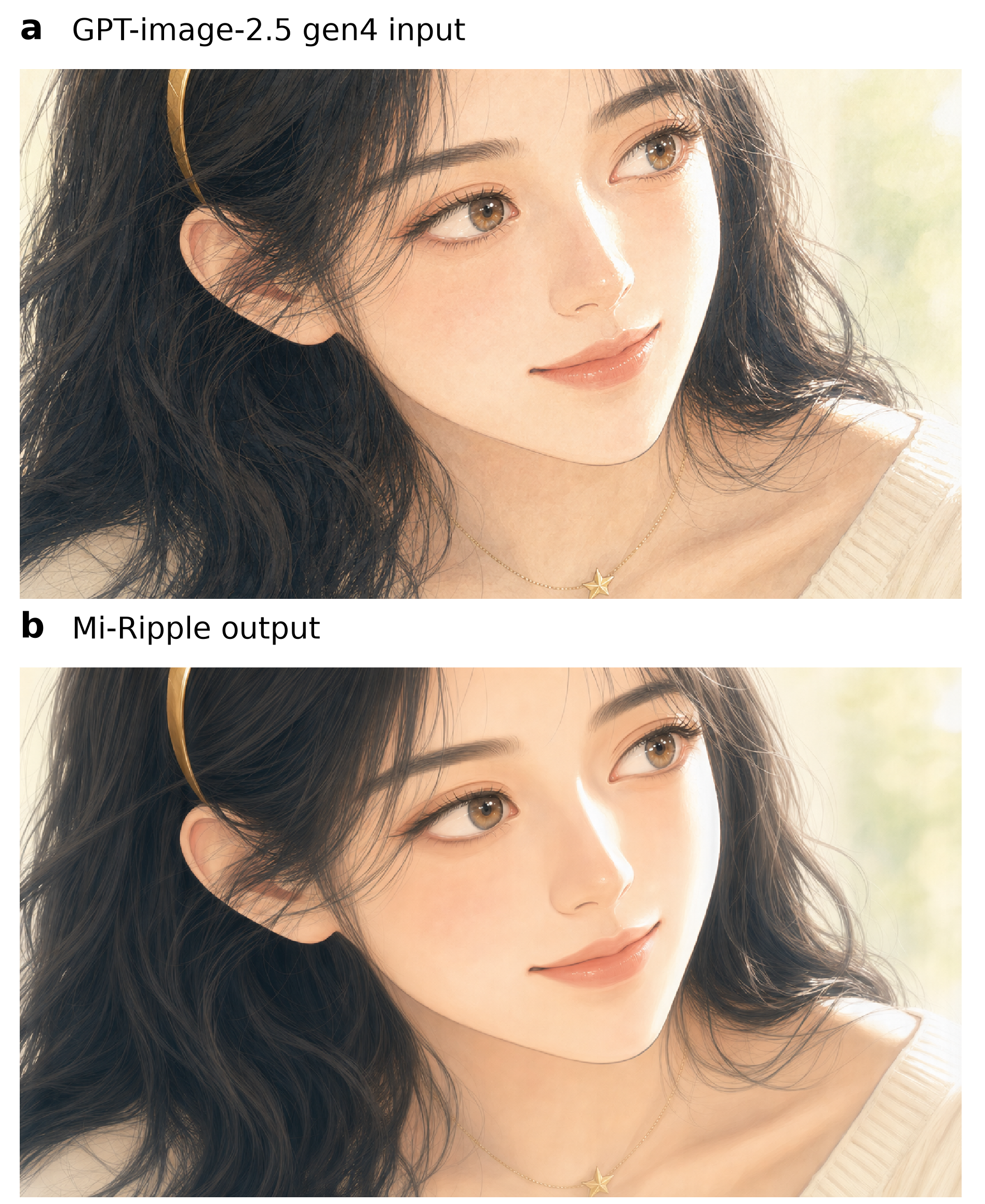
Night hair · Image 2.5
| Before | After |
|---|---|
 |  |
The images share the same source composition but come from separate experimental branches: direct regeneration versus cleaned-reference regeneration followed by selective lattice notching. Regeneration is not pixel-aligned restoration and can change fine semantic details.
Moss gorge · Image 2.5
| Before | After |
|---|---|
 |  |
Moss gorge · Image 2.0
| Before | After |
|---|---|
 |  |
Rainforest path · Image 2.0
| Before | After |
|---|---|
 |  |
Ice cave · Image 2.0
| Before | After |
|---|---|
 |  |
Installation
Python 3.11 or newer is required.
git clone https://github.com/miyang-ai/Mi-Ripple.git
cd Mi-Ripple
python -m venv .venv
source .venv/bin/activate
pip install -e .
OpenCV-based face protection is optional:
pip install -e ".[face]"
For development:
pip install -e ".[dev]"
pytest
Quick start
Local deterministic processing is the default:
mi-ripple input.png output/
The output directory contains:
- a diagnosis JSON and visual inspection boards;
- intermediate masks and processed candidates;
- a machine-readable XML decision trace;
- a final image when the deterministic route can deliver one;
- a sidecar containing hashes, parameters, measurements, and the final outcome.
If artifacts overlap image content, the default route stops with
needs_human_decision. Optional regeneration requires explicit permission and a
MIYANG API key:
export MIYANG_API_KEY=...
mi-ripple input.png output/ --allow-regen --max-regen 1
Regeneration may change image content, dimensions, and color. Its output remains a candidate until a person accepts it.
Python API
from pathlib import Path

from mi_ripple.pipeline import run

result = run(Path("input.png"), Path("output"))
print(result["outcome"], result["final"])
Individual measurement and processing modules are also public:
mi_ripple.diagnosismi_ripple.scale_indexmi_ripple.notchmi_ripple.spatialmi_ripple.referencemi_ripple.verify
Method and evidence
The accompanying paper is:
Yicheng Xu, Jiayin Chen, and Muting Wang. Mi-Ripple: Restoring Images Degraded by Iterative AI Editing. MIYANG Technology (Shanghai) Co., Ltd., 2026.
The LaTeX manuscript, references,
and publication figures are included in paper/.
Paper figures
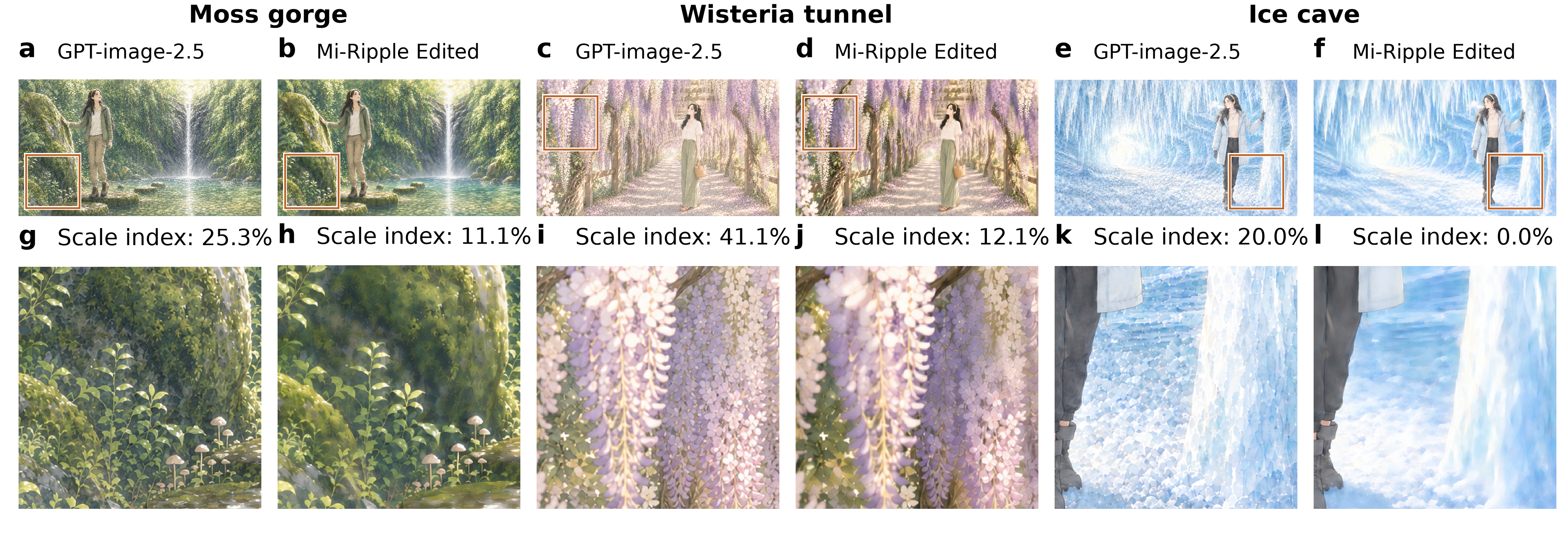
| Artifact forms | Targeted restoration |
|---|---|
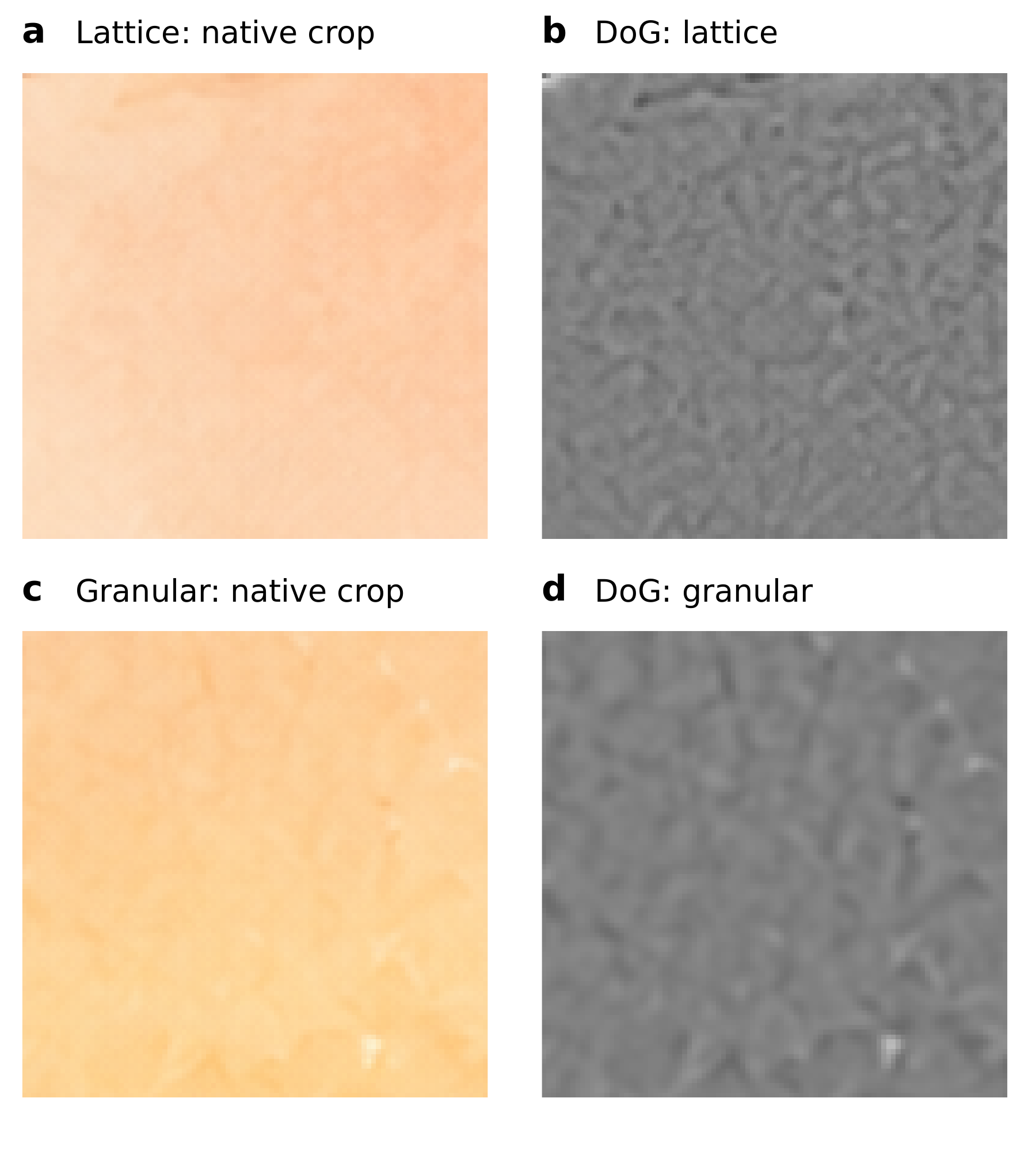 |  |
Selective notch versus broad spectral suppression
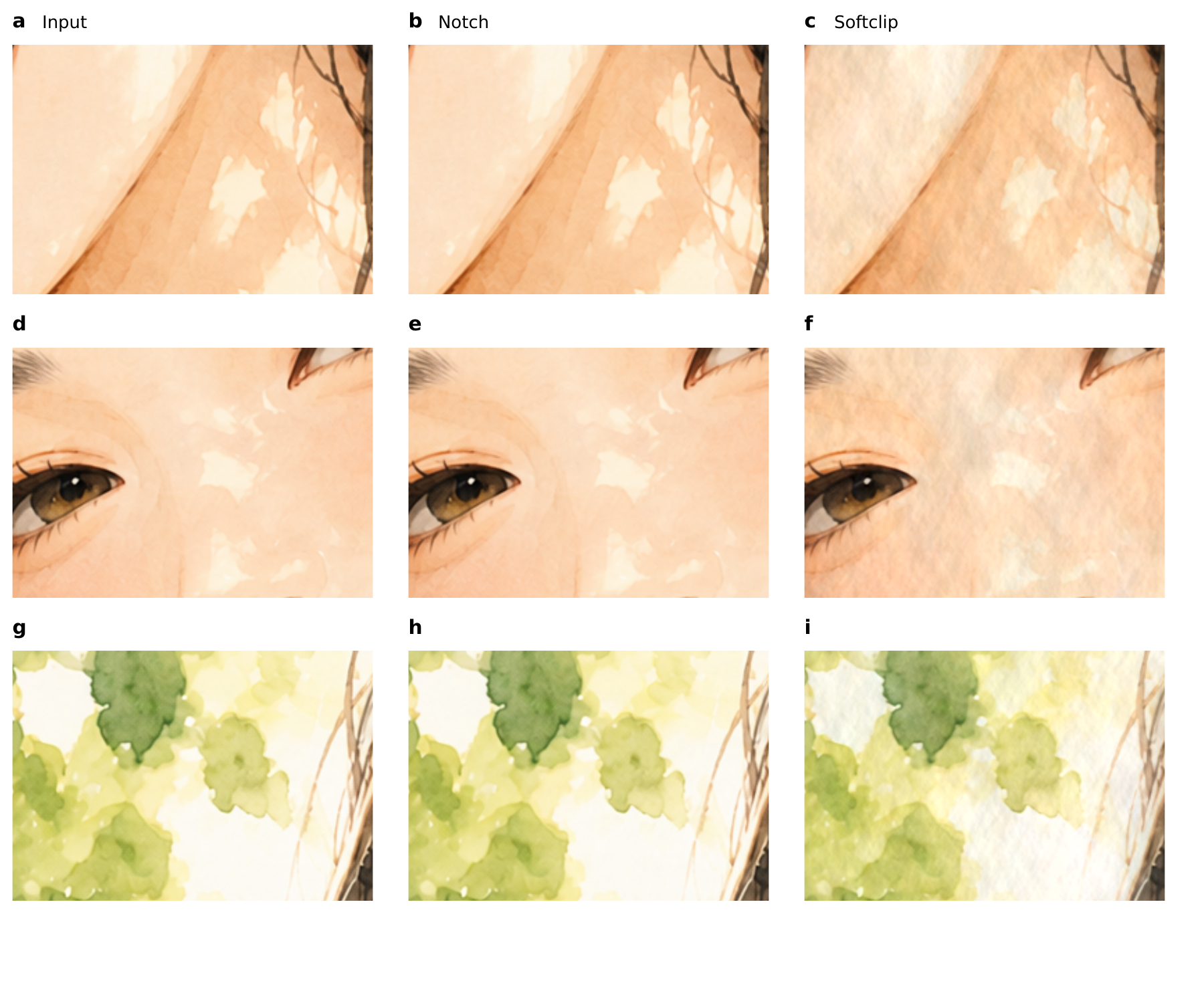
[![Residual comparison for selective notch and soft clipping](https://raw.githubu
// HOW IT'S BUILT
KEY FILES