⏳ This skill is pending AI review.
Scores will appear once the review pipeline completes.
triage-rendercv-issue

Analyze a newly opened GitHub issue, comment with findings and an action plan, and offer to open a PR.
Choose how to use this skill
You do not need every option. Choose the path your AI client supports. The stable page stays the same; versioned files are immutable.
1. Native installer
This listing has no registered native installer command. Use the complete package or source fallback below, depending on what your client supports.
Do not guess an installer command or replace an existing version without reviewing the diff.
2. Complete package recommended
Download the ZIP when available. It includes SKILL.md plus the references, security notes and version metadata.
No complete ProSkills package is published for this listing yet.3. Prompt-only
Copy the prompt above when the agent can read the stable page or when you want to adopt the workflow without installing a skill.
Need only the instruction file?
Download SKILL.md only if your client requires a single file. The complete ZIP is safer for a full installation because it preserves the references and release context.
No path installs or executes anything by itself. Your agent still needs access to the project files. Before updating, compare the installed version and review the diff.
// RATINGS
Not yet listed on ClawHub or SkillsMP
// README
Resume builder for academics and engineers, deployed at rendercv.com


Write your CV or resume as YAML, then run RenderCV,
rendercv render John_Doe_CV.yaml
and get a PDF with perfect typography.
With RenderCV, you can:
- Version-control your CV — it's just text.
- Focus on content — don't worry about the formatting.
- Get perfect typography — consistent alignment and spacing, handled for you.
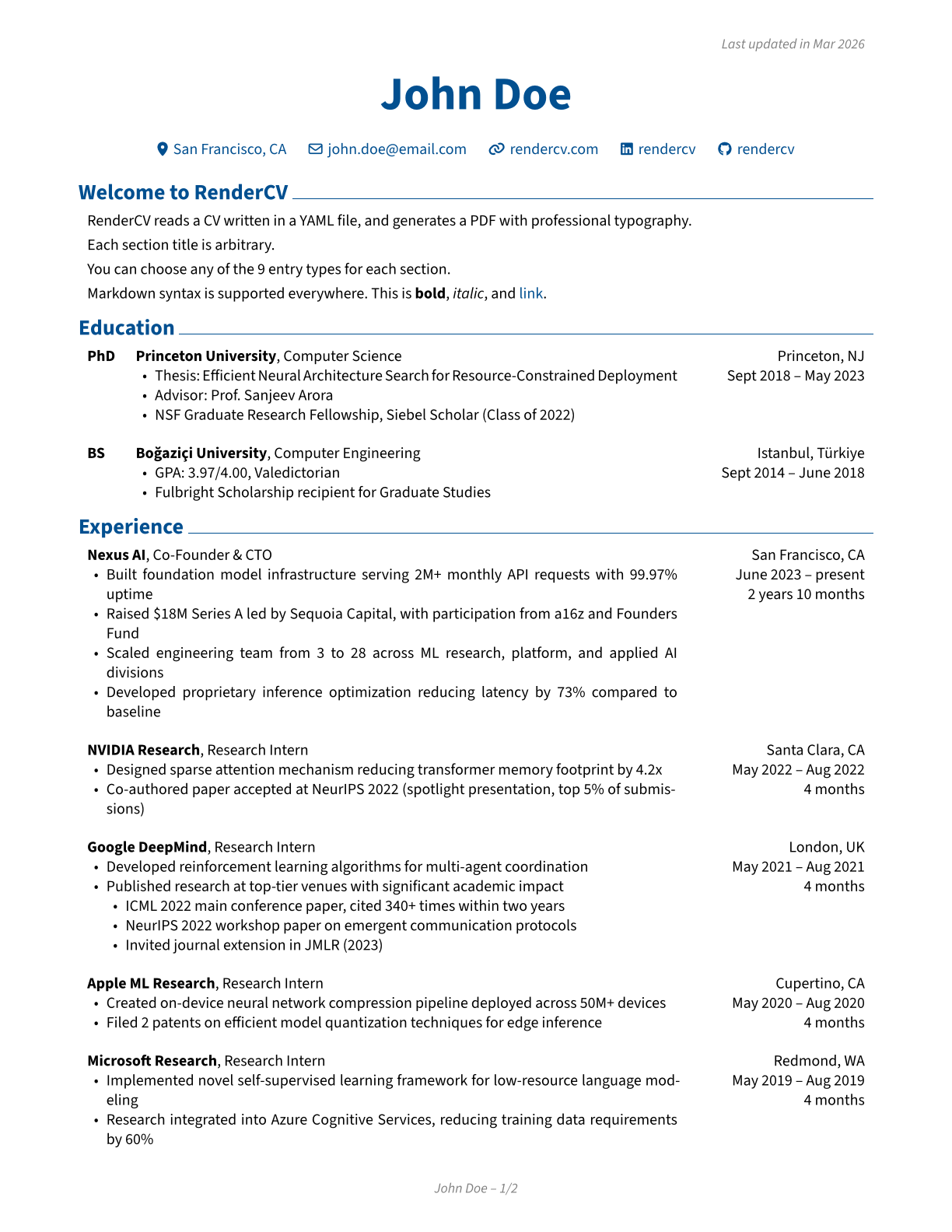
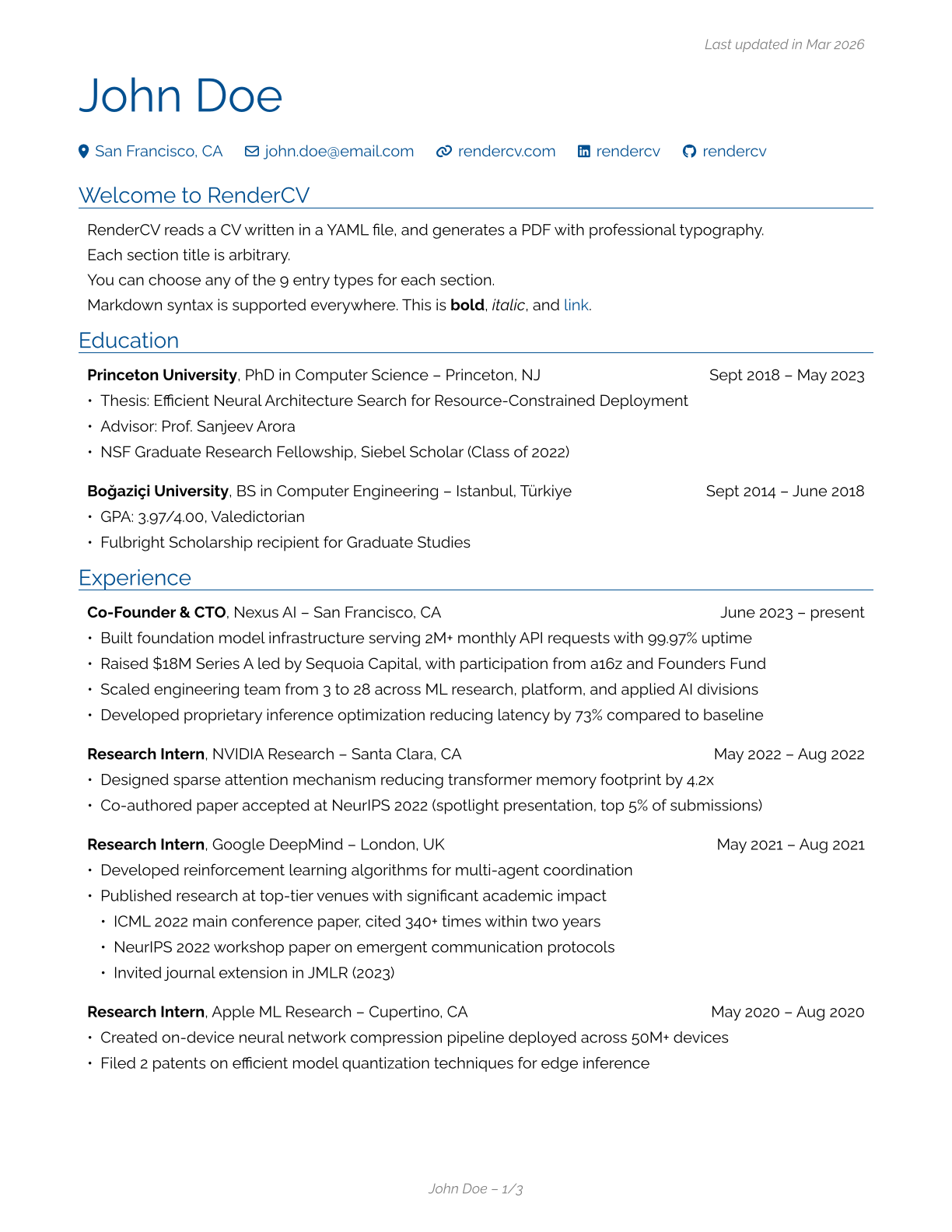
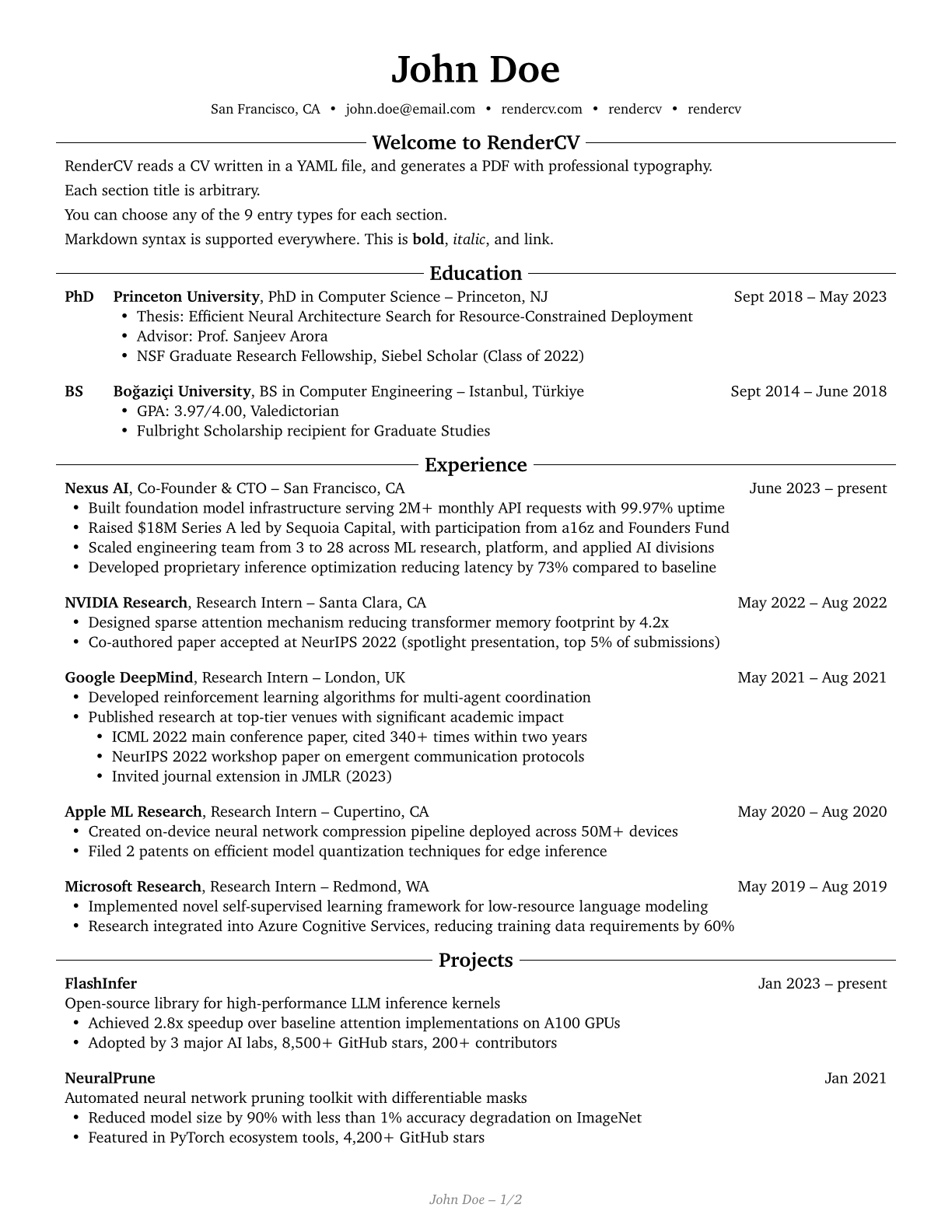
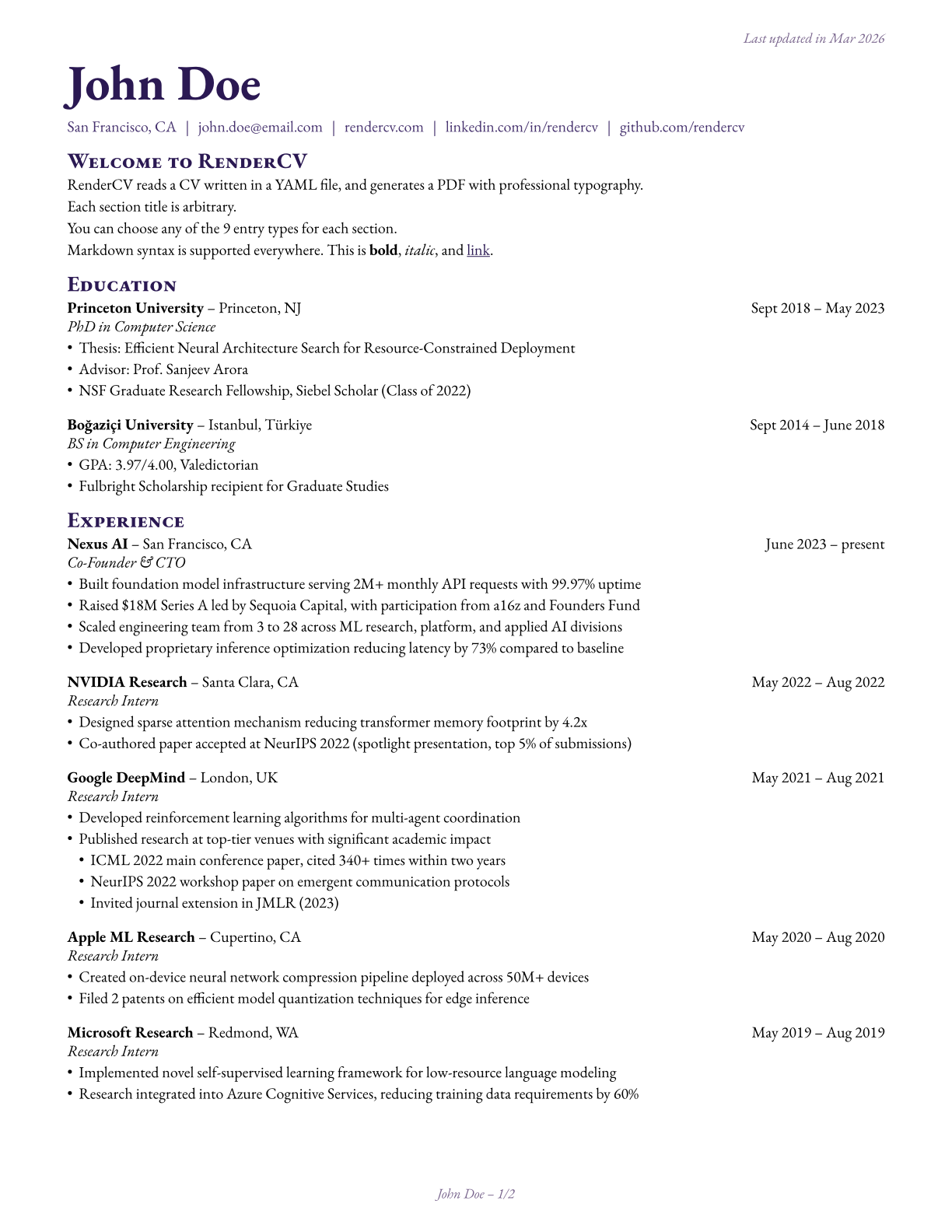
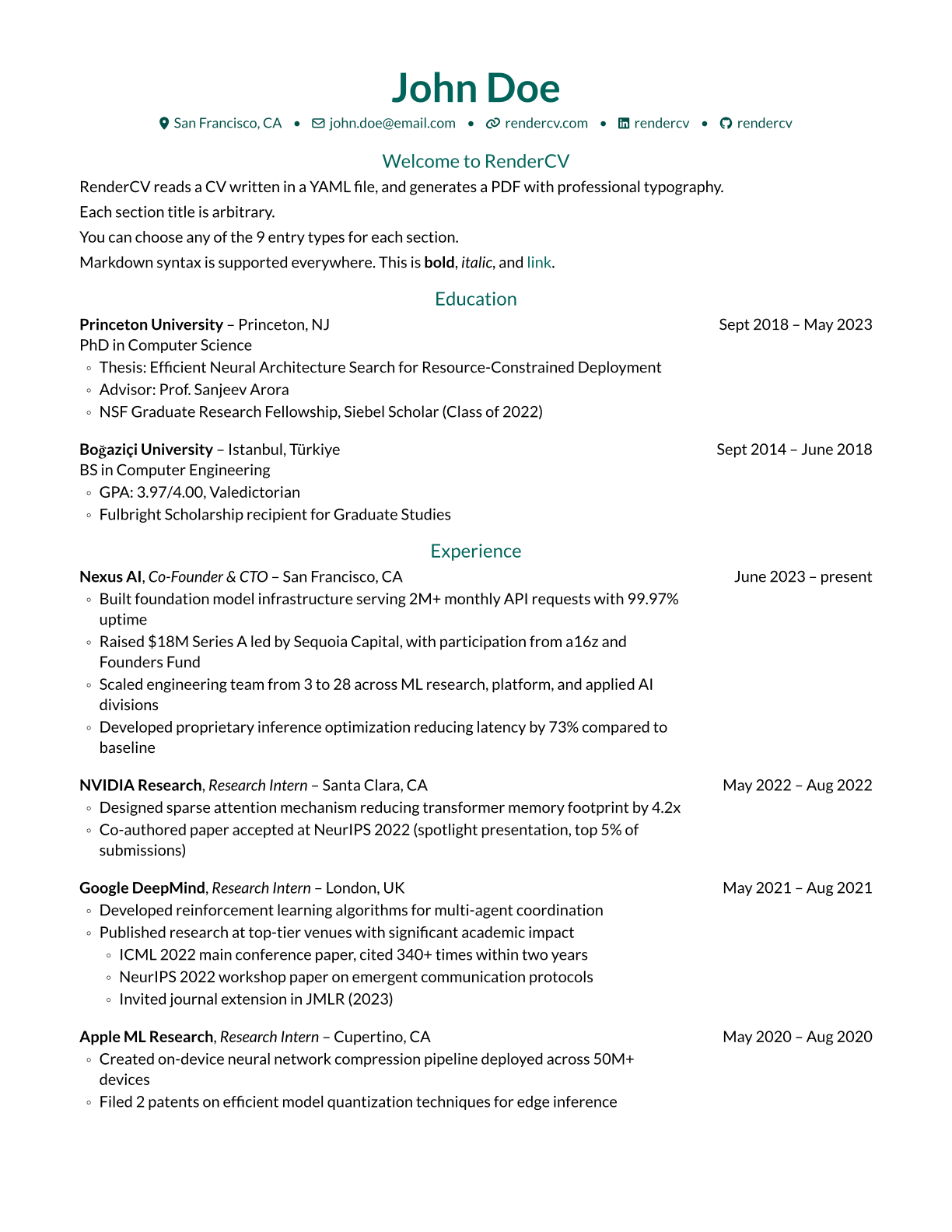
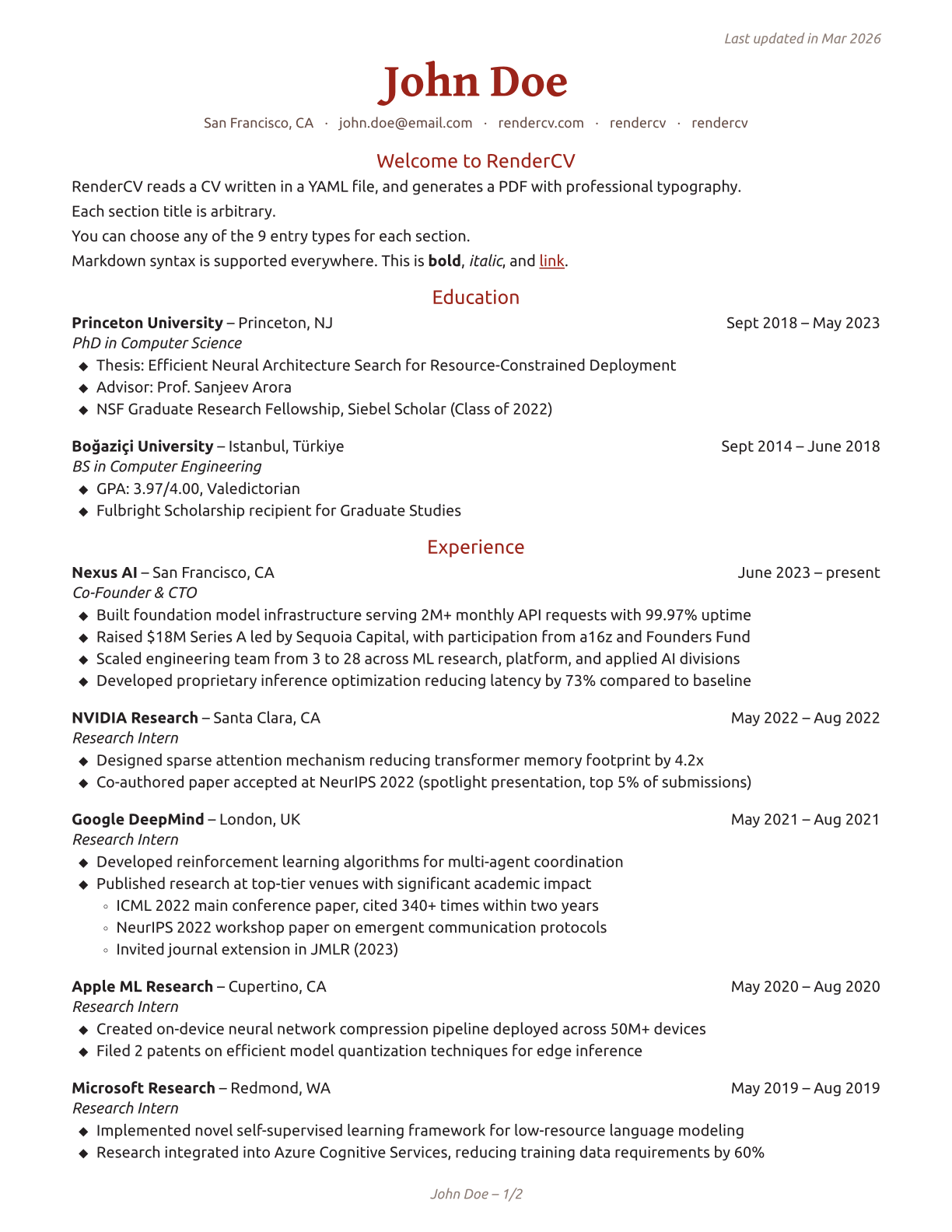
A YAML file like this:
cv:
  name: John Doe
  location: San Francisco, CA
  email: [email protected]
  website: https://rendercv.com/
  social_networks:
    - network: LinkedIn
      username: rendercv
    - network: GitHub
      username: rendercv
  sections:
    Welcome to RenderCV:
      - RenderCV reads a CV written in a YAML file, and generates a PDF with professional typography.
      - See the [documentation](https://docs.rendercv.com) for more details.
    education:
      - institution: Princeton University
        area: Computer Science
        degree: PhD
        date:
        start_date: 2018-09
        end_date: 2023-05
        location: Princeton, NJ
        summary:
        highlights:
          - "Thesis: Efficient Neural Architecture Search for Resource-Constrained Deployment"
          - "Advisor: Prof. Sanjeev Arora"
          - NSF Graduate Research Fellowship, Siebel Scholar (Class of 2022)
    ...
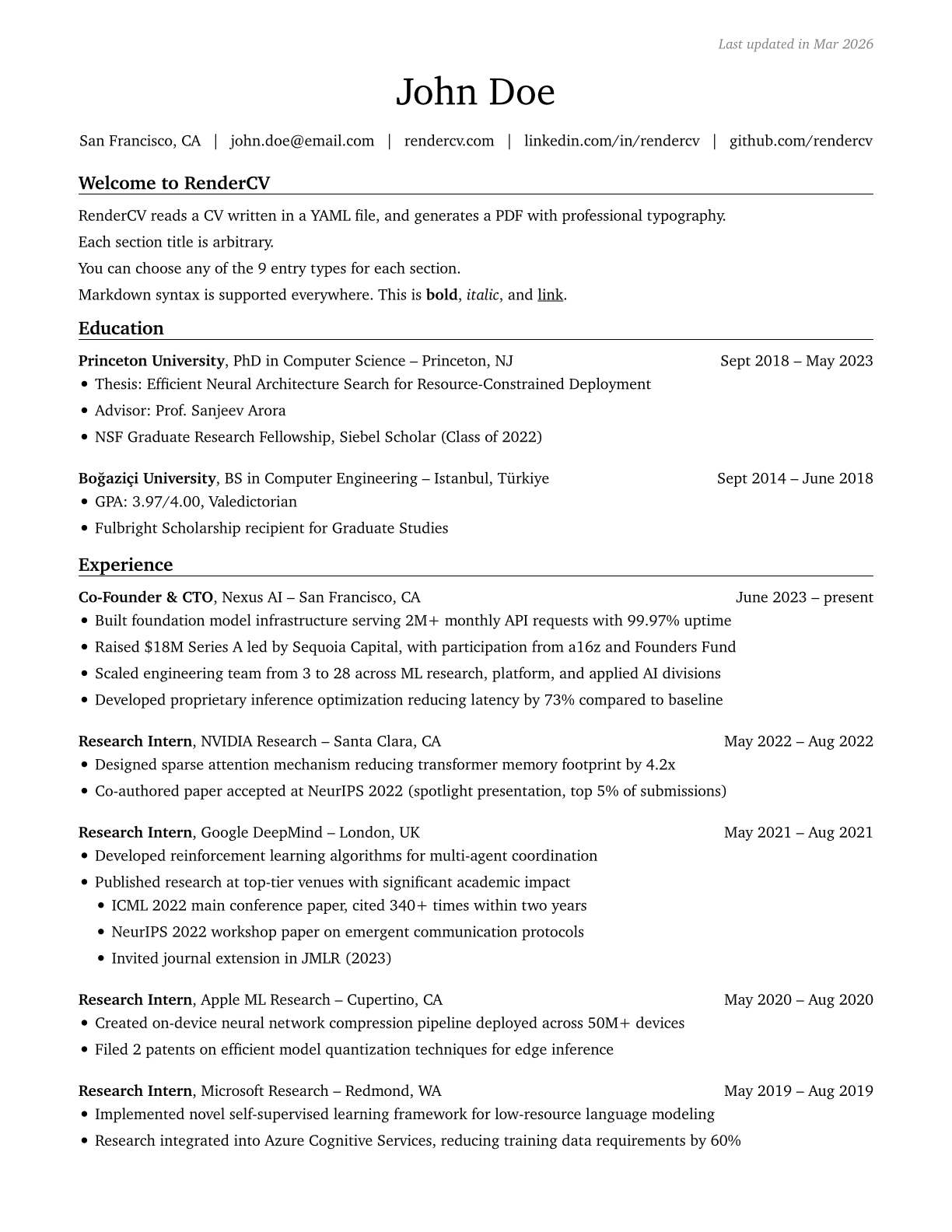
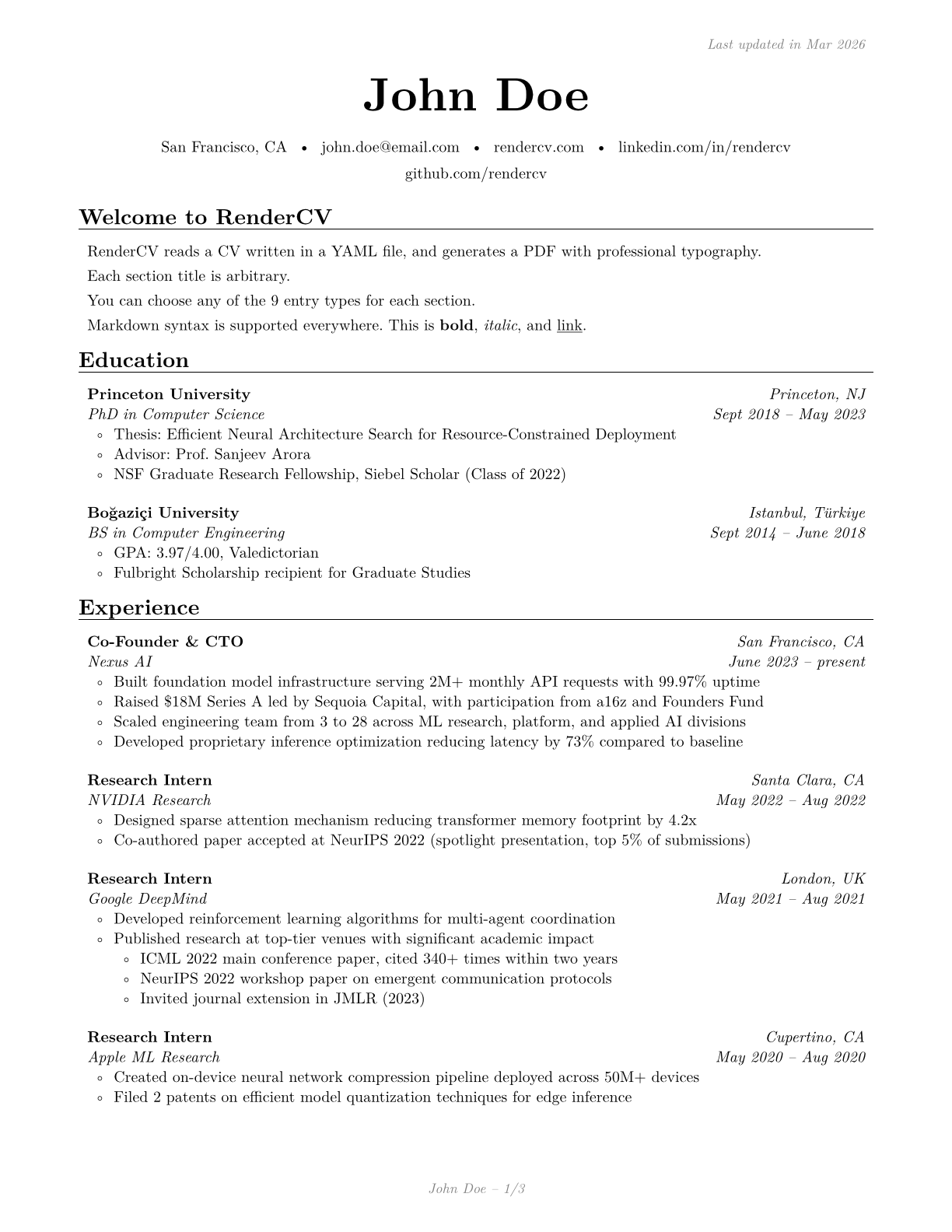
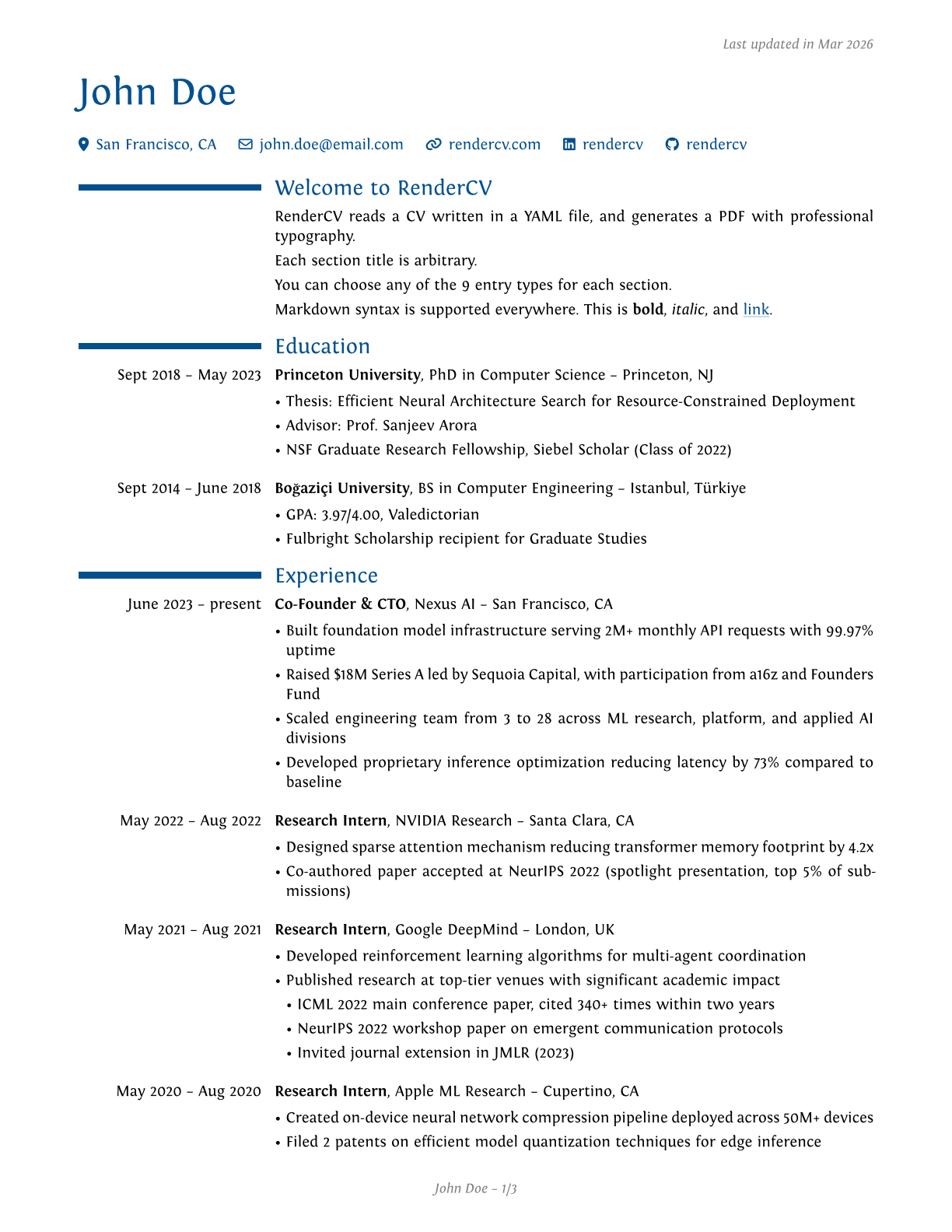
becomes one of these PDFs. Click on the images to preview.
 |  |  |
|---|---|---|
 |  |  |
 |  |  |
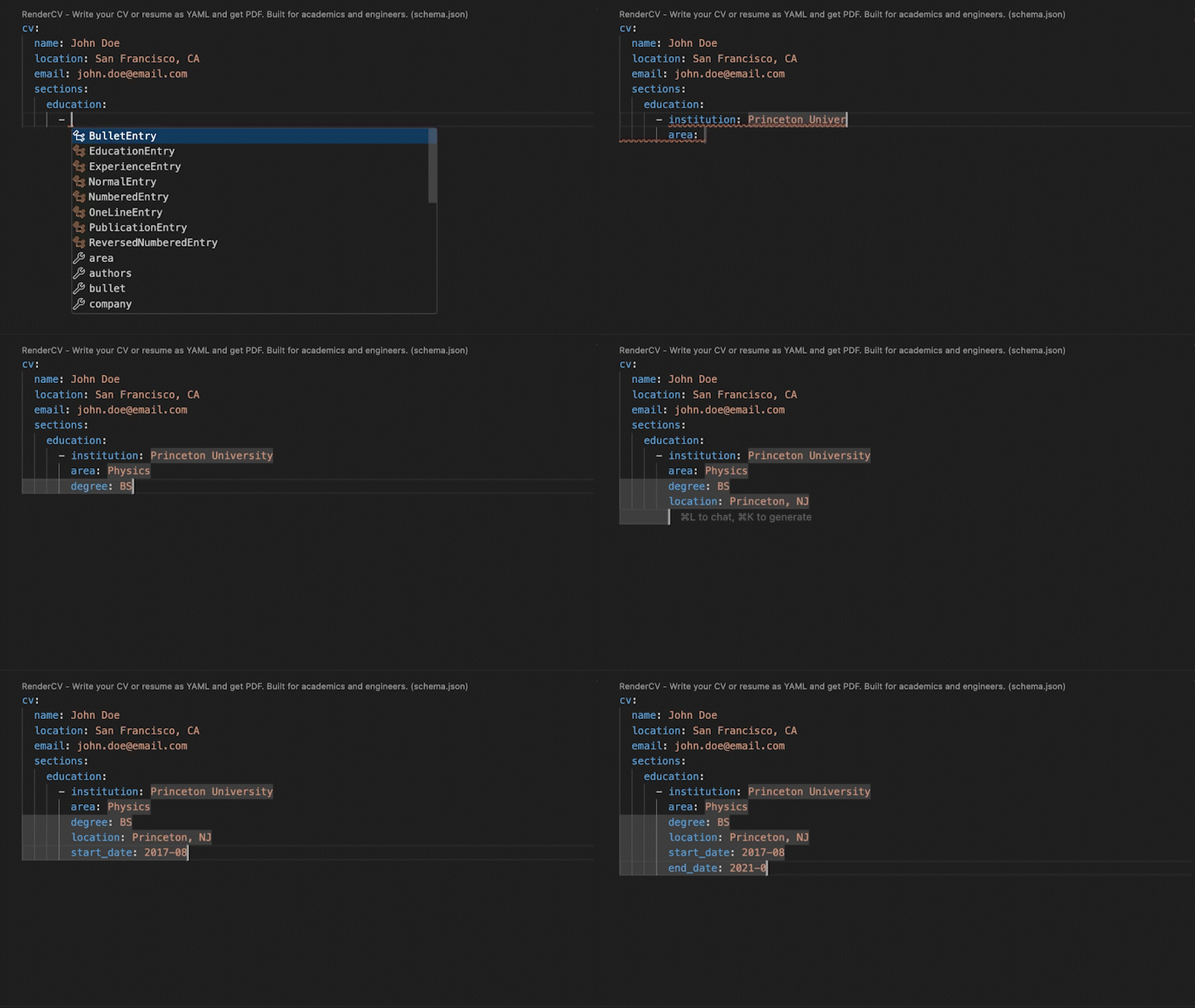
JSON Schema
RenderCV's JSON Schema lets you fill out the YAML interactively, with autocompletion and inline documentation.
Extensive Design Options
You have full control over every detail.
design:
  theme: classic
  page:
    size: us-letter
    top_margin: 0.7in
    bottom_margin: 0.7in
    left_margin: 0.7in
    right_margin: 0.7in
    show_footer: true
    show_top_note: true
  colors:
    body: rgb(0, 0, 0)
    name: rgb(0, 79, 144)
    headline: rgb(0, 79, 144)
    connections: rgb(0, 79, 144)
    section_titles: rgb(0, 79, 144)
    links: rgb(0, 79, 144)
    footer: rgb(128, 128, 128)
    top_note: rgb(128, 128, 128)
  typography:
    line_spacing: 0.6em
    alignment: justified
    date_and_location_column_alignment: right
    font_family: Source Sans 3
  # ...and much more
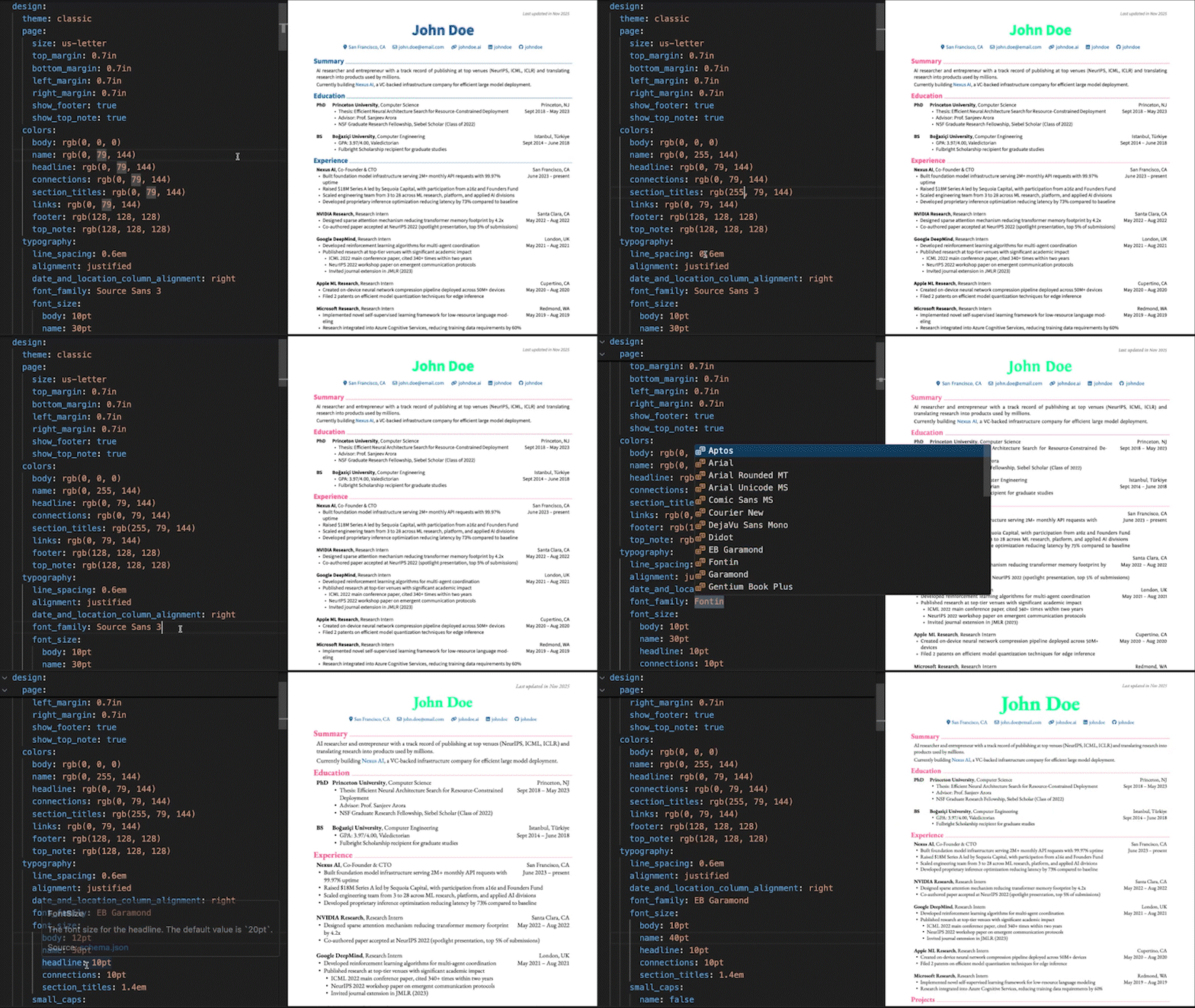
[!TIP] Want to set up a live preview environment like the one shown above? See how to set up VS Code for RenderCV.
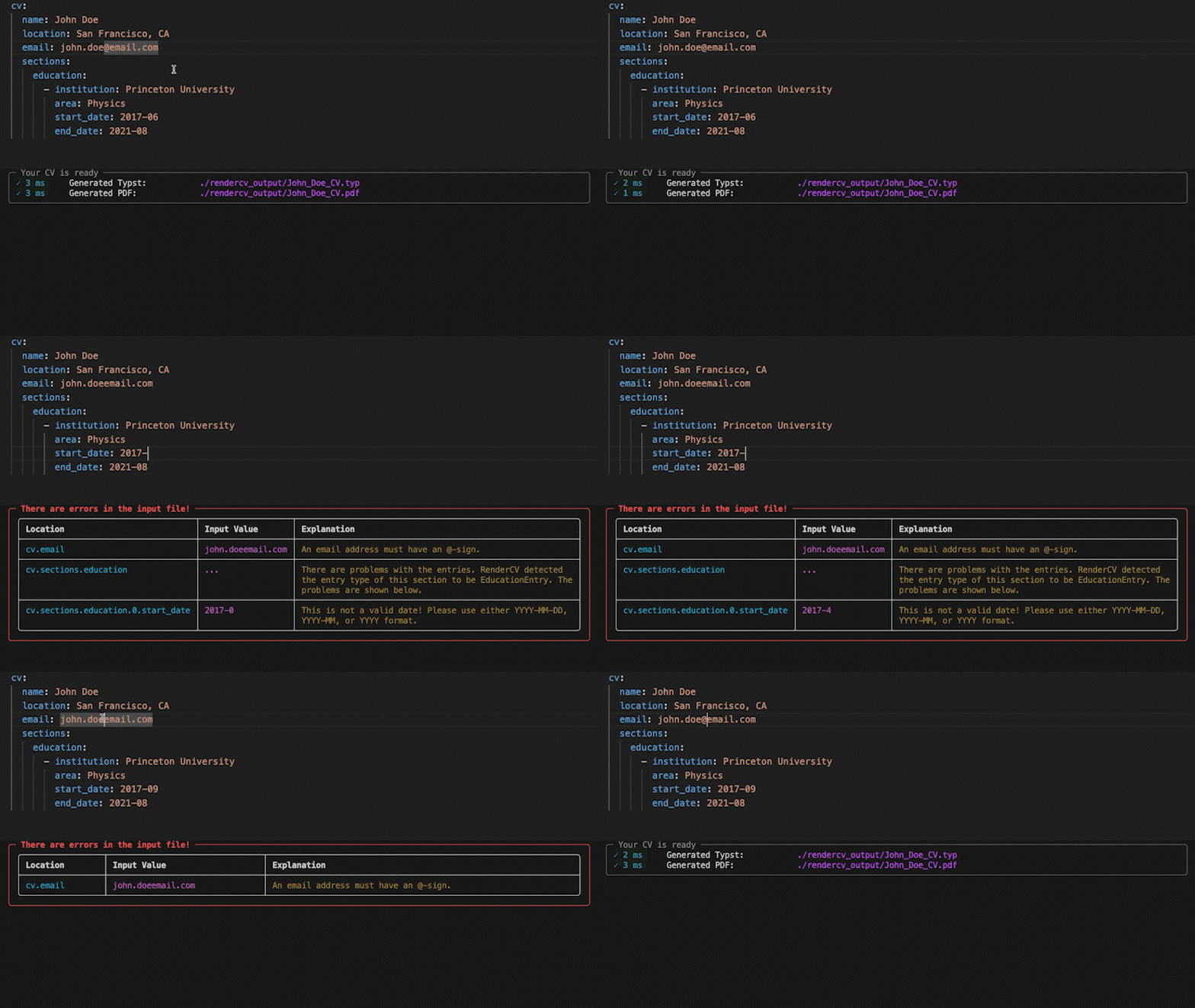
Strict Validation
No surprises. If something's wrong, you'll know exactly what and where. If it's valid, you get a perfect PDF.
Any Language
Fill out the locale field for your language.
locale:
  language: english
  last_updated: Last updated in
  month: month
  months: months
  year: year
  years: years
  present: present
  month_abbreviations:
    - Jan
    - Feb
    - Mar
  ...
AI Agent Skill
Let AI coding agents create and edit your CV. Install the RenderCV skill:
npx skills add rendercv/rendercv-skill
Works with any AI agent that supports the skills standard. The skill is auto-generated from RenderCV's source code and evaluated with promptfoo against RenderCV's own Pydantic validation pipeline. See the documentation for details.
Get Started
Install RenderCV (Requires Python 3.12+):
pip install "rendercv[full]"
Create a new CV yaml file:
rendercv new "John Doe"
Edit the YAML, then render:
rendercv render "John_Doe_CV.yaml"
For more details, see the user guide.
// HOW IT'S BUILT
// FILES
2 files shipped with this skill. Inline text is the catalog copy. The upstream link is the source repository.
.claude/skills/triage-rendercv-issue/SKILL.md2.4 KBupstream ↗
--- name: triage-rendercv-issue description: Analyze a newly opened GitHub issue, comment with findings and an action plan, and offer to open a PR. --- # Triage a RenderCV Issue Analyze a newly opened issue on the `rendercv/rendercv` repository. Post a helpful comment that demonstrates understanding of the problem and offers next steps. ## Step 1: Read the issue Get the full issue details including all comments: ```bash gh issue view <number> --repo rendercv/rendercv --comments ``` Determine: - Is this a bug report, feature request, question, or something else? - Is there enough information to understand and reproduce the problem? - Is this a duplicate of an existing issue? Check for duplicates: ```bash gh issue list --repo rendercv/rendercv --state all --search "<key terms from issue>" --json number,title,state --limit 10 ``` ## Step 2: Understand the relevant code Familiarize yourself with the project architecture and the specific area the issue relates to: - @.claude/skills/rendercv-development-context/SKILL.md Read the architecture and source structure sections, then explore the specific source files and tests related to the issue. ## Step 3: Post a comment Comment on the issue using `gh`: ```bash gh issue comment <number> --repo rendercv/rendercv --body "$(cat <<'EOF' <comment content> EOF )" ``` ### Comment structure 1. **Understanding**: Restate the problem in your own words to confirm you understand it. 2. **Analysis**: Which files and modules are involved, what the current behavior is, and why the issue occurs (or what would need to change for a feature request). 3. **Proposed approach**: Concrete steps to fix or implement this, referencing specific files and functions. 4. **What to avoid**: Approaches that would be wrong, overly complex, or against the project's conventions. 5. **Offer**: End with: _"Reply `@claude` followed by your instructions if you'd like me to open a PR for this."_ ### Guidelines - Be concise and specific. Reference actual file paths. - If the issue is unclear or missing information, ask clarifying questions instead of guessing. - If it's a duplicate, out of scope, or `wontfix` material, explain why politely and suggest closing. - If it's a question (not a bug or feature), answer it directly. - Follow the project's conventions from the development context when discussing the approach. - Don't promise timelines or complexity estimates. - Don't label or assign the issue unless explicitly asked.README.mdupstream ↗
Contents are not inlined in the catalog. Open the upstream file.
Plain-text copy, no login: /skill-bundles/rendercv-rendercv-claude-skills-triage-rendercv-issue.md